X 0 · Y 0

Home / Apps / VectorCraft

VectorCraft: a free vector app that keeps Illustrator's tools

VectorCraft is the vector illustration app in the ArtCraft family — free, open source, and built around the Adobe Illustrator layout of a Pen tool, artboards, Pathfinder and an Appearance panel. The current release is 0.11.0 (Oct 14, 2026), for Mac, Windows, Linux and FreeBSD, with the same UI compiled for the browser. Our own runs below are on the 0.10.0 build we tested on Oct 14, 2026.

Version0.11.0
StatusIn development
Runs onMac, Windows, Linux, FreeBSD, browser
PriceFree
Facts checked Oct 15, 2026X — Y —

What it looks like

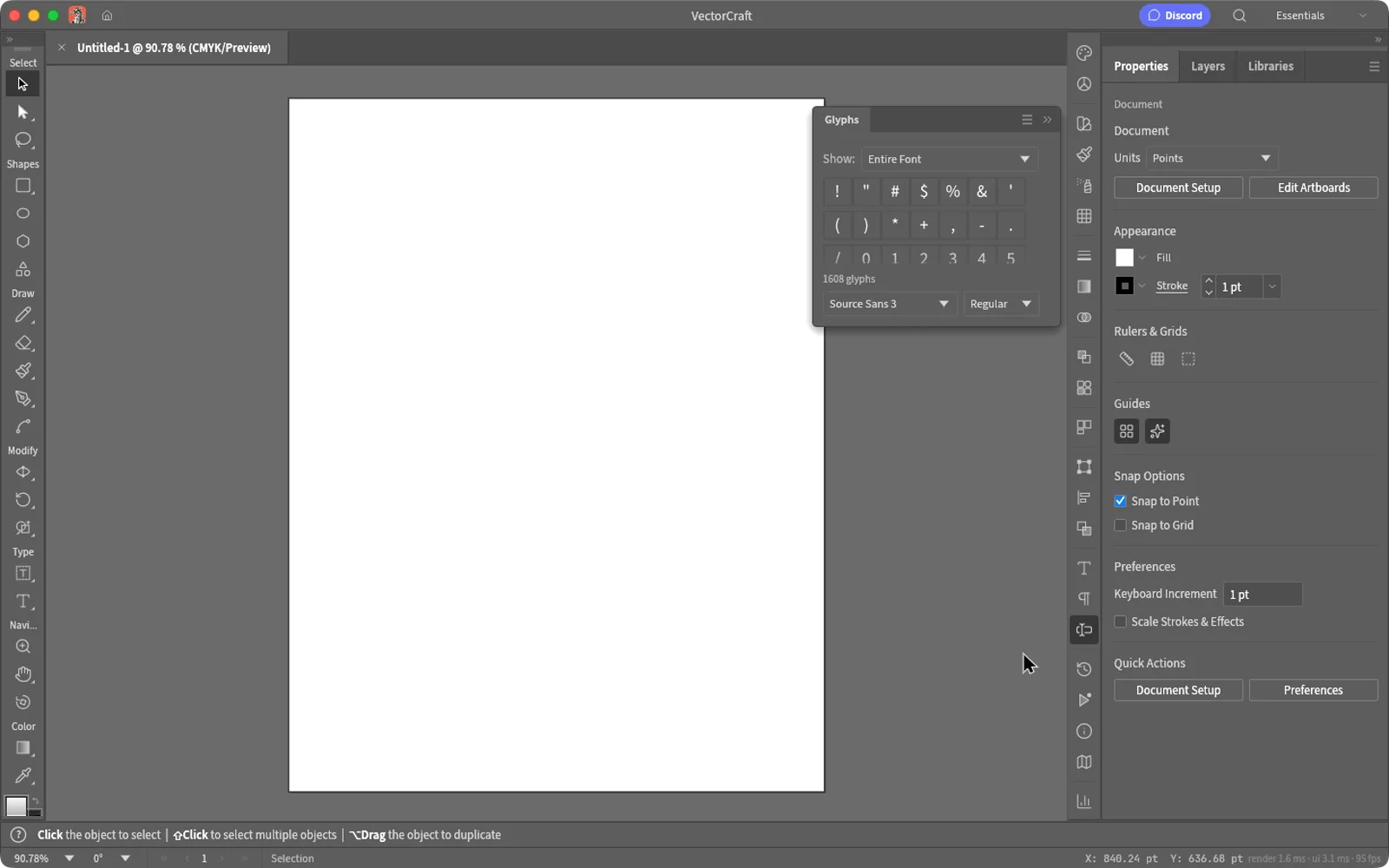
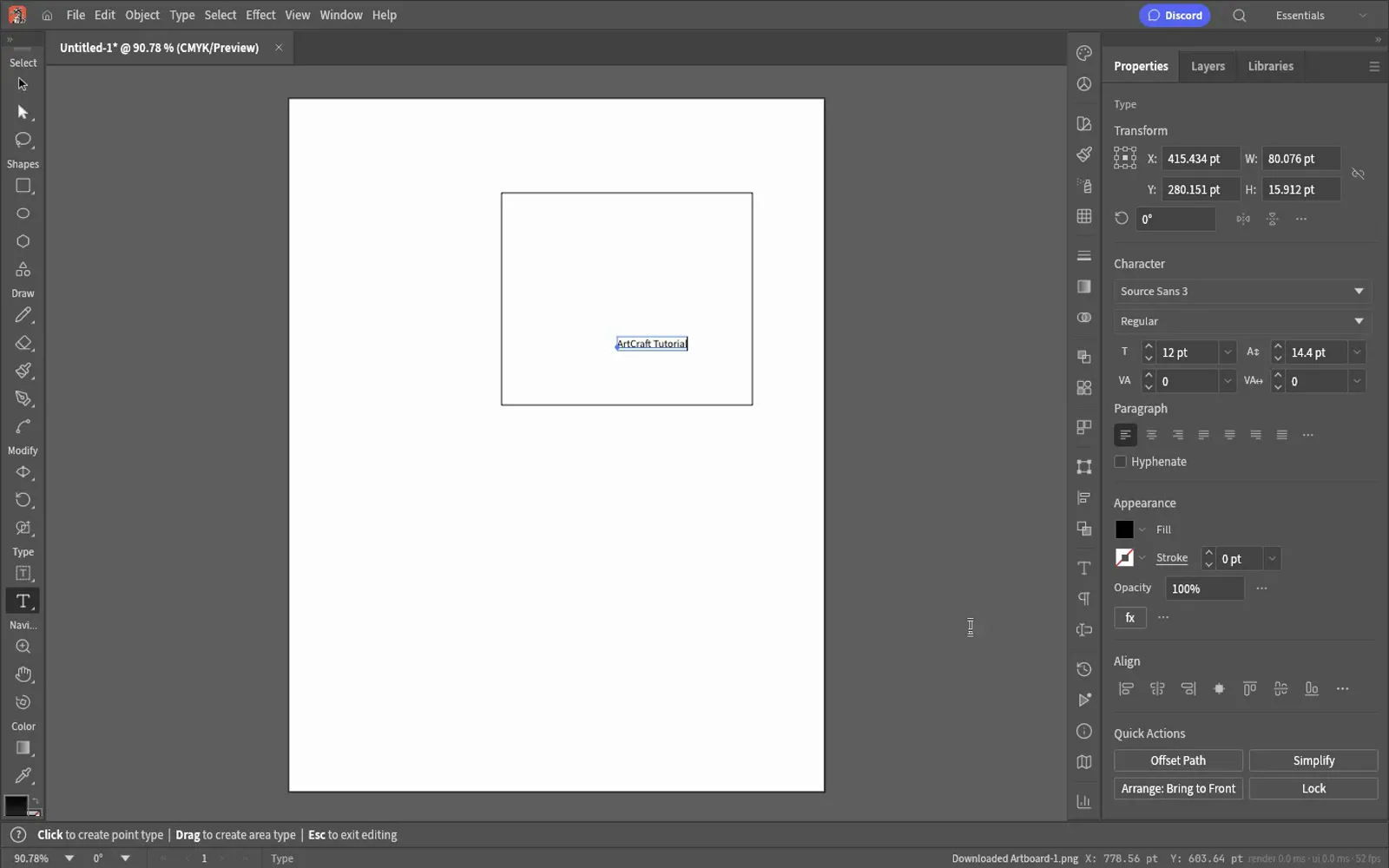
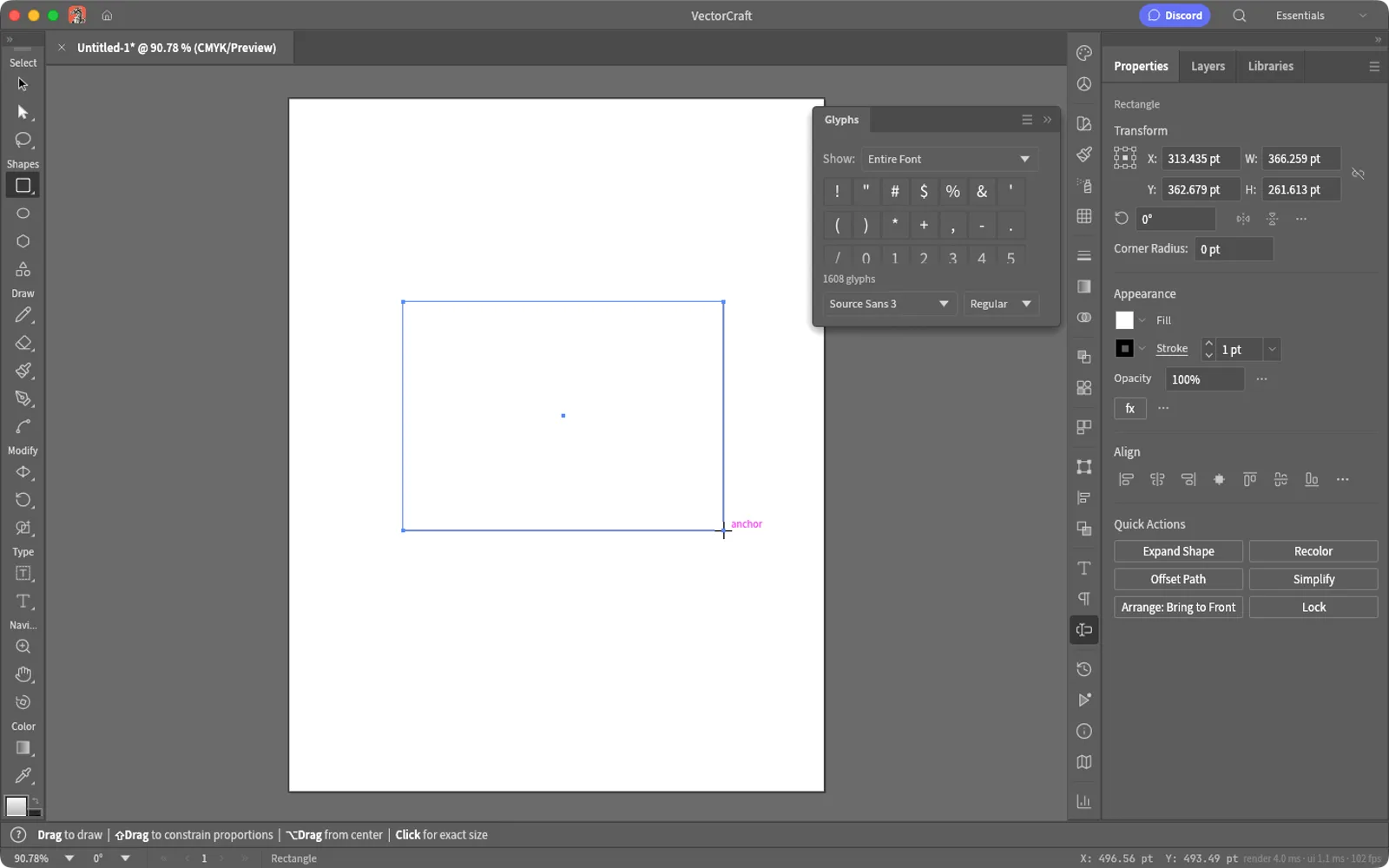
Three screenshots we took: the Mac app with a rectangle we dragged out, its Preferences window after we switched the interface to English, and the browser build at the moment it saved our PNG. Hover to zoom.

Untitled-1 — 0.10.0Mac and web
VectorCraft 0.10.0 on macOS with a rectangle drawn on the artboard and the Properties panel open VectorCraft Preferences with the user interface language set to English VectorCraft 0.10.0 browser build with the status bar reading Downloaded Artboard-1.png 1
Screenshots by ArtCraft Tutorial · VectorCraft 0.10.0 · macOS and web · Oct 14, 20261 / 3

What we tried, and what happened

In the browser build (Oct 14, 2026)

  • ✓Drew a rectangle, typed ArtCraft Tutorial on the artboard, and exported: the status bar read Downloaded Artboard-1.png.VectorCraft browser build after exporting Artboard-1.png
  • ✓The file on disk was a 612 × 792 PNG with the rectangle and the text in it.
  • ◐The console kept warning that the browser backend cannot set the window title (egui reports it as an unimplemented command), so the title bar never picked up the document name. Drawing and exporting were unaffected.
  • ◐First screen took 2389 ms in our headless browser.

On a Mac (Oct 14, 2026)

  • ✓Switched the interface language to English in Preferences (Cmd-comma) and the whole UI followed.VectorCraft Preferences with the interface language set to English
  • ✓Dragged out a rectangle with the Rectangle tool in the English interface.VectorCraft on macOS with a rectangle drawn on the artboard
  • ◐Save opens the system save panel, and our tooling could not drive that panel, so no file landed and we can't describe the desktop save dialog yet.

Screenshots by ArtCraft Tutorial · VectorCraft 0.10.0 · Oct 14, 2026

What ArtCraft says it can do

From VectorCraft's own README — ArtCraft's claims, not our test results:

  • Familiar. Illustrator's layout, tools, menus, panels and shortcuts: Pen, Direct Selection, Pathfinder, Smart Guides, Appearance, Layers and Artboards. We used the Rectangle tool and the artboard; the rest is untested.
  • Fast. Multithreaded SIMD rendering off the UI thread — the README says 20,000 shapes render in about 27 ms at full retina resolution while the interface stays at 120 fps. Not tested by us yet.
  • Open formats. A documented native format, first-class SVG, PDF and PDF-compatible .ai import and export, PNG, JPEG and WebP output, Export for Screens, and SVGZ, templates, GIF, TIFF and BMP on open. We exported one PNG.
  • Agent-native. Every menu item, tool gesture, panel and dialog can be driven over a JSON control channel and an MCP server. Not tested by us yet.
  • Everywhere. One codebase for the desktop apps and the same UI in the browser. We ran both.

If you're coming from Illustrator

Illustrator habits we checked
You want to…In IllustratorIn VectorCraft
Start a drawingNew document, then an artboardNew document and an artboard with rulers and a red selection outline (our screenshot)
Draw and transformRectangle tool, then the Properties/Bounds fieldsRectangle tool with the same live status-bar hints: drag to draw, ⌘ to constrain proportions, ⌥ to drag from centre
Combine shapesPathfinderA Pathfinder-style row in the Properties panel, plus Quick Actions for Expand Shape and Recolor (README)
Style a shapeAppearance panelAppearance group with Fill, Stroke, Opacity and effects, next to Properties and Layers (README)
Choose a languagePreferences › InterfacePreferences › User interface language, English or Chinese
Hand off artworkExport, or Save As SVG/PDFSVG, PDF, PNG, JPEG and WebP, plus Export for Screens (README)

How to get it

VectorCraft is free and needs no account. Release 0.11.0 published 24 files; these are the four most people want.

VectorCraft 0.11.0 — the four main filesOct 14, 2026
Your computerFileSize
Mac (Apple silicon and Intel)vectorcraft-0.11.0-macos-universal.dmg126.3 MB
Windows 10/11, 64-bitvectorcraft-0.11.0-windows-x64.msi94.8 MB
Linux, x86-64vectorcraft-0.11.0-linux-x86_64.AppImage108.6 MB
Prefer the browservectorcraft-web-0.11.0.zip (you host it)23.5 MB

The same release carries .deb, .rpm, Flatpak and tarballs for x86-64 and aarch64, RISC-V packages and a FreeBSD tarball, with a SHA256SUMS.txt beside them — our download guide explains how to check the hash.

Open the VectorCraft releases on GitHub →

What we haven't tested yet

  • Paths and booleans. We drew one primitive. The Pen tool, the curve booleans and the Shape Builder are all untested by us.
  • Type and layout. We typed one line of Latin text; the shaping, threading and bidirectional layout the README advertises were not exercised.
  • File interchange. We never opened an SVG, a PDF or an Affinity document, and we never wrote one.
  • A desktop save. Our Mac run stopped at the system save panel.

Common questions

Q1Is VectorCraft free?
Yes. It is open source, with no account and no subscription.
Q2What licence is VectorCraft under?
Its README says MIT OR Apache-2.0 and GitHub's repository API lists Apache-2.0 — a permissive open-source licence either way.
Q3Where is VectorCraft on GitHub?
At github.com/storytold/vectorcraft, with 9,097 stars when we checked on Oct 15, 2026.
Q4Does VectorCraft run on Windows or Linux?
Yes, and the release includes a browser build you host yourself. Windows: MSI or portable zip, x64 and ARM64. Linux: AppImage, deb, rpm, Flatpak and tarball.
Q5Can VectorCraft open Illustrator files?
The README says PDF-compatible .ai files import and export, alongside SVG and PDF. That is not the same as editing native Illustrator documents.

Related guides

Nearby: What is ArtCraft? covers the studio and all thirteen apps, and DesignCraft is the page-layout app.