X 0 · Y 0

Home / Apps / FigCraft

FigCraft: a free interface design app that takes after Figma

FigCraft is the interface-design and prototyping app in the ArtCraft family — free, open source, and written from scratch in Rust. Its README calls it a clean-room reimplementation of Figma, about 49% of the way there by ArtCraft's own estimate. The latest version is 0.6.0 (Oct 14, 2026); the build we tested was 0.5.1.

Version0.6.0
StatusEarly alpha
Runs onMac, Windows, Linux, browser
PriceFree
Facts checked Oct 15, 2026X — Y —

What it looks like

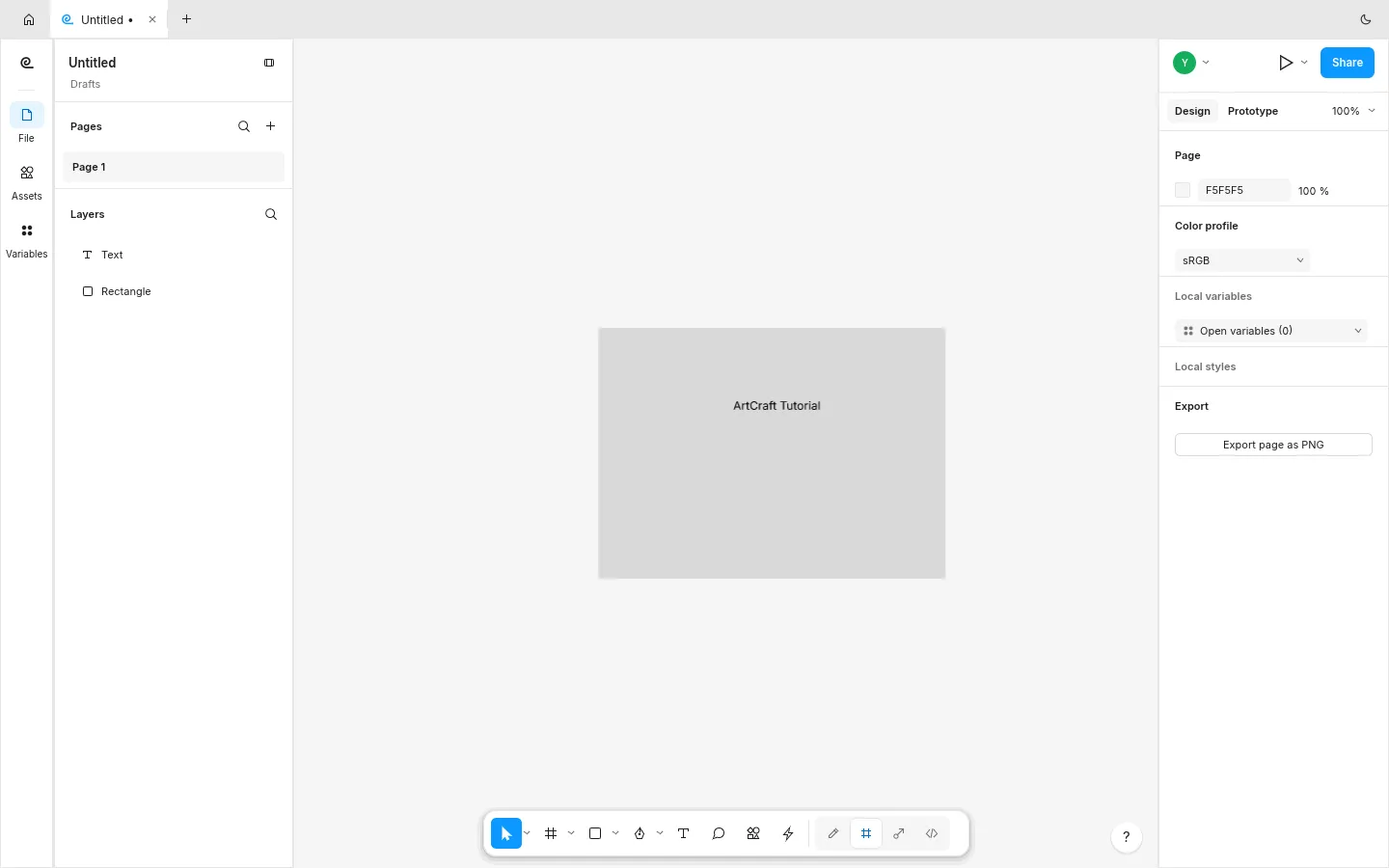
Our Mac session, then the browser build with the little drawing we made. Hover to zoom in.

FigCraft 0.5.1 — our sessionMac and browser
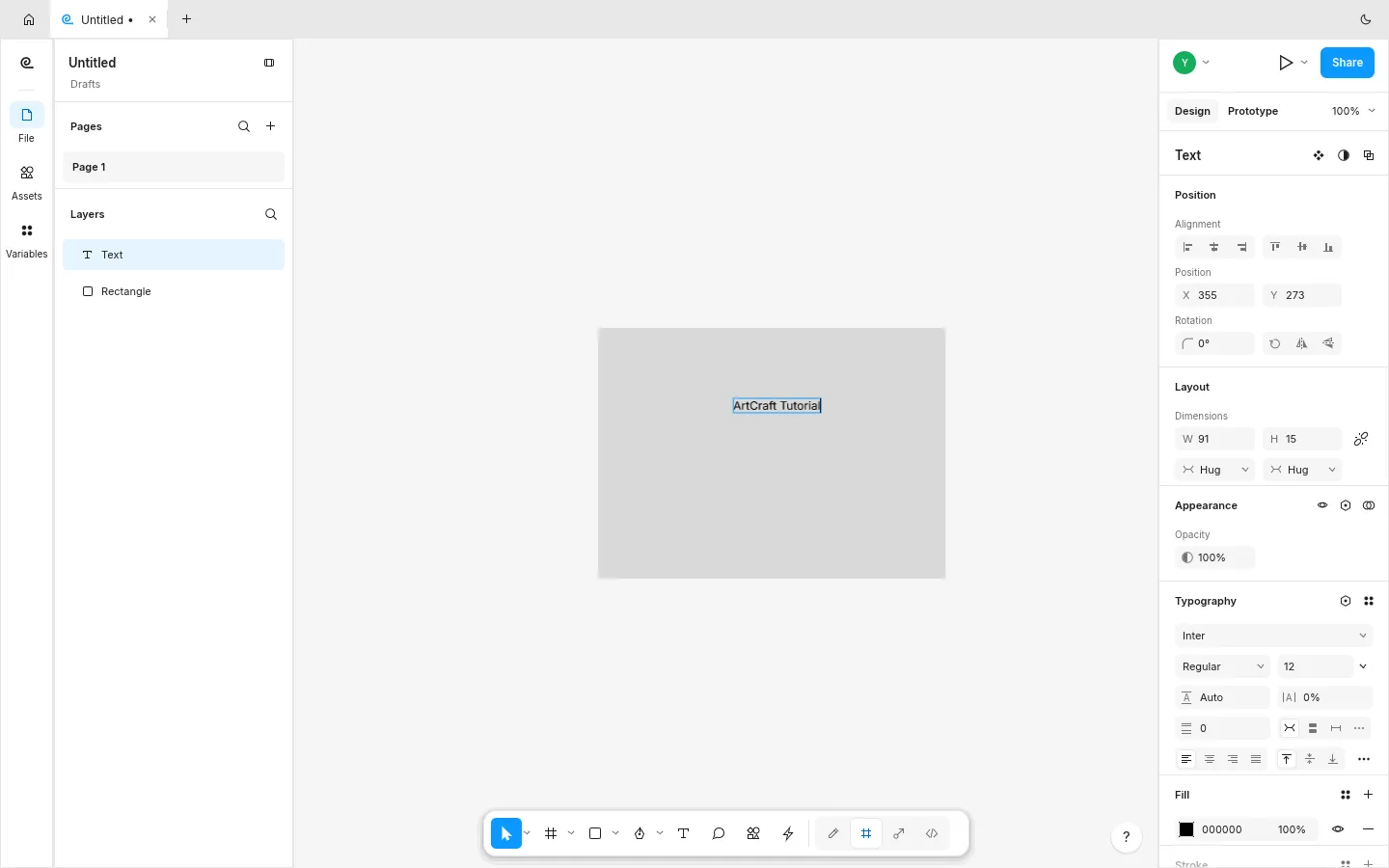
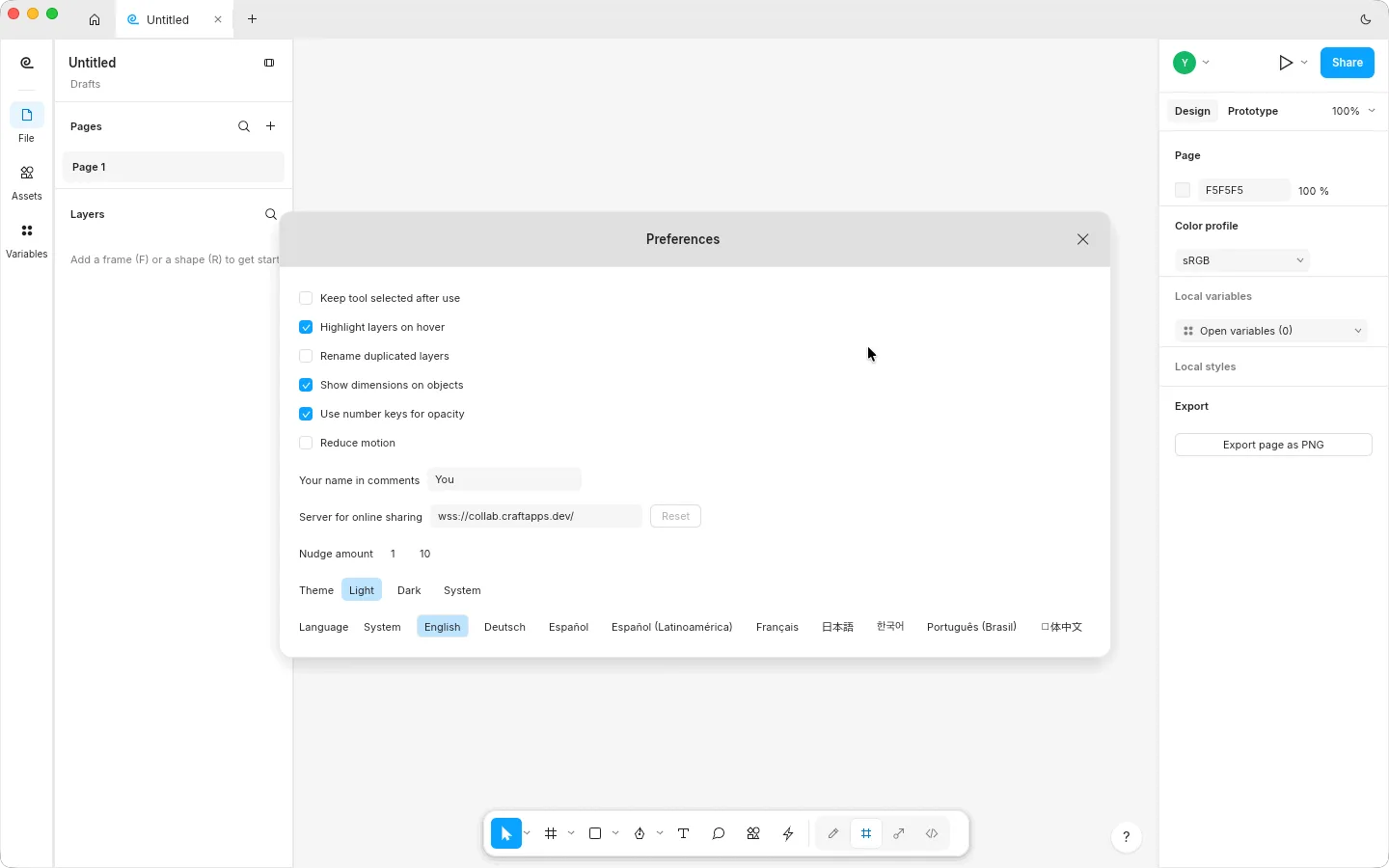
FigCraft for Mac preferences with the language set to English FigCraft browser build with a Text layer above a Rectangle layer and the Export page as PNG button FigCraft browser build with a grey rectangle and the words ArtCraft Tutorial on the canvas 1
Screenshots by ArtCraft Tutorial · FigCraft 0.5.1 · macOS (1) and web (2, 3) · Oct 14, 20261 / 3

What we tried, and what happened

In the browser build (0.5.1, Oct 14, 2026)

  • ✓Pressed R and dragged out a rectangle — it appeared on the canvas and as Rectangle in the Layers panel.FigCraft browser build with a rectangle and a text layer
  • ✓Pressed T, clicked on the canvas and typed a line of text; the panel then showed a Text layer above the rectangle, and the Design panel filled in with position, size and typography.
  • ◐We could see the Export page as PNG button in the right-hand panel, but clicking it produced no file in our headless Chromium run (no download event in the log). We have no exported PNG from FigCraft.

On a Mac (0.5.1, Oct 14, 2026)

  • ✓Opened in Chinese on our Chinese-language Mac, and the Chinese labels came out as empty boxes. The app's own preferences (⌘,) carry a language menu, and choosing English cleared both.FigCraft for Mac preferences after switching the language to English
  • ✓Pressed F and dragged a frame; the Mac build created it and reported its size in the panel.
  • ◐The T key did not arm the text tool on the Mac for us, and the export dialog's PNG rows did not respond to our clicks. We haven't finished a desktop export test yet.

Screenshots by ArtCraft Tutorial · FigCraft 0.5.1 · Oct 14, 2026

What ArtCraft says it can do

From the FigCraft README — these are ArtCraft's claims, not our test results:

  • Familiar by design. “The toolbar, layers panel, Design panel, menus and shortcuts sit where your hands expect them. If you know Figma, you already know FigCraft.” We used the toolbar, the Layers panel and the Design panel; the menus are untested by us.
  • Native and fast. “A Rust engine with a persistent document model… creating a node in a 20,000-node file takes a fraction of a millisecond. No Electron, no web view.” Our document had two layers, so we cannot speak to the speed claim.
  • Offline and private. “Your files are plain .figcraft archives on your own disk. No account, no telemetry… SVG, PNG, JPG, WebP and PDF in and out; .fig files open (best effort).” Not tested by us yet.
  • Layouts and components. Auto layout with wrap and grid, Hug / Fill / Fixed sizing, component sets with variants, styles and variables with modes. We saw the panel structure; none of it was exercised.

If you're coming from Figma

Figma habits we saw
You want to…In FigmaIn FigCraft (as we saw it)
Draw a rectangleR, then dragR, then drag — the shape appeared and the Layers panel named it Rectangle
Add textT, click, typeT, click, type worked in the browser build; the same key did not arm the Mac build for us
Read the layer treeLayers panel on the leftSame place, same idea: Text above Rectangle above the page
Make a frameF, then dragF, then drag — the Mac build created one and reported its size

Every row above comes from our own session. Tell us at contact@artcrafttutorial.com if a row behaves differently on your machine.

How to get it

FigCraft is free and needs no account. Version 0.6.0 landed on GitHub on Oct 14, 2026 with 26 release files — including a small server package for its live sessions. These four cover almost everyone:

Your computerFileSize
Mac (Apple silicon and Intel)figcraft-0.6.0-macos-universal.dmg89.3 MB
Windows 10/11, 64-bitfigcraft-0.6.0-windows-x64.msi66.2 MB
Linux x86-64 (AppImage)figcraft-0.6.0-linux-x86_64.AppImage77.7 MB
Prefer the browserfigcraft-web-0.6.0.zip8.5 MB

The release ships SHA256SUMS.txt for every file. Our download guide covers the checksum step plus the Linux ARM, Flatpak and RPM files we left out of the table.

Open the FigCraft releases on GitHub →

What we haven't tested yet

  • Components, variants, styles and variables — what a design system would need.
  • Prototypes and Dev Mode, including the generated code the README describes.
  • Getting a file out. Neither build gave us an export in our sessions; we want to redo that on the Mac with a fresh run before drawing any conclusion.

Common questions

Q1Is FigCraft free?
Yes. There is no price and no account; the README's privacy section says your files stay on your disk and that nothing leaves the machine unless you share a file yourself.
Q2Is FigCraft open source?
Its GitHub repository is listed under the Apache-2.0 licence, and the README badge reads “MIT / Apache-2.0”. Check the repository's LICENSE files if the exact terms matter to you.
Q3Where is FigCraft on GitHub?
At github.com/storytold/figcraft, with downloads on its releases page.
Q4Does FigCraft run on Windows, on Linux, or in a browser?
All three, and on macOS and FreeBSD as well. Windows has MSI and portable builds for x64, ARM64 and 32-bit x86; Linux has AppImage, deb, rpm, Flatpak and tarballs; the browser package is a WebAssembly site you host yourself.

Related guides