X 0 · Y 0

Home / Apps / FilmCraft

FilmCraft: a free video editor that cuts like Premiere

FilmCraft is the video editor in the ArtCraft family — free, open source, and written from scratch in Rust around the Adobe Premiere Pro workflow. The current release is 0.8.0 (Oct 14, 2026), for Mac, Windows, Linux and FreeBSD, with the same editor also compiled for the browser. Everything below about our own runs is the 0.7.2 build we tested on Oct 14 and 15, 2026.

Version0.8.0
StatusIn development
Runs onMac, Windows, Linux, FreeBSD, browser
PriceFree
Facts checked Oct 15, 2026X — Y —

What it looks like

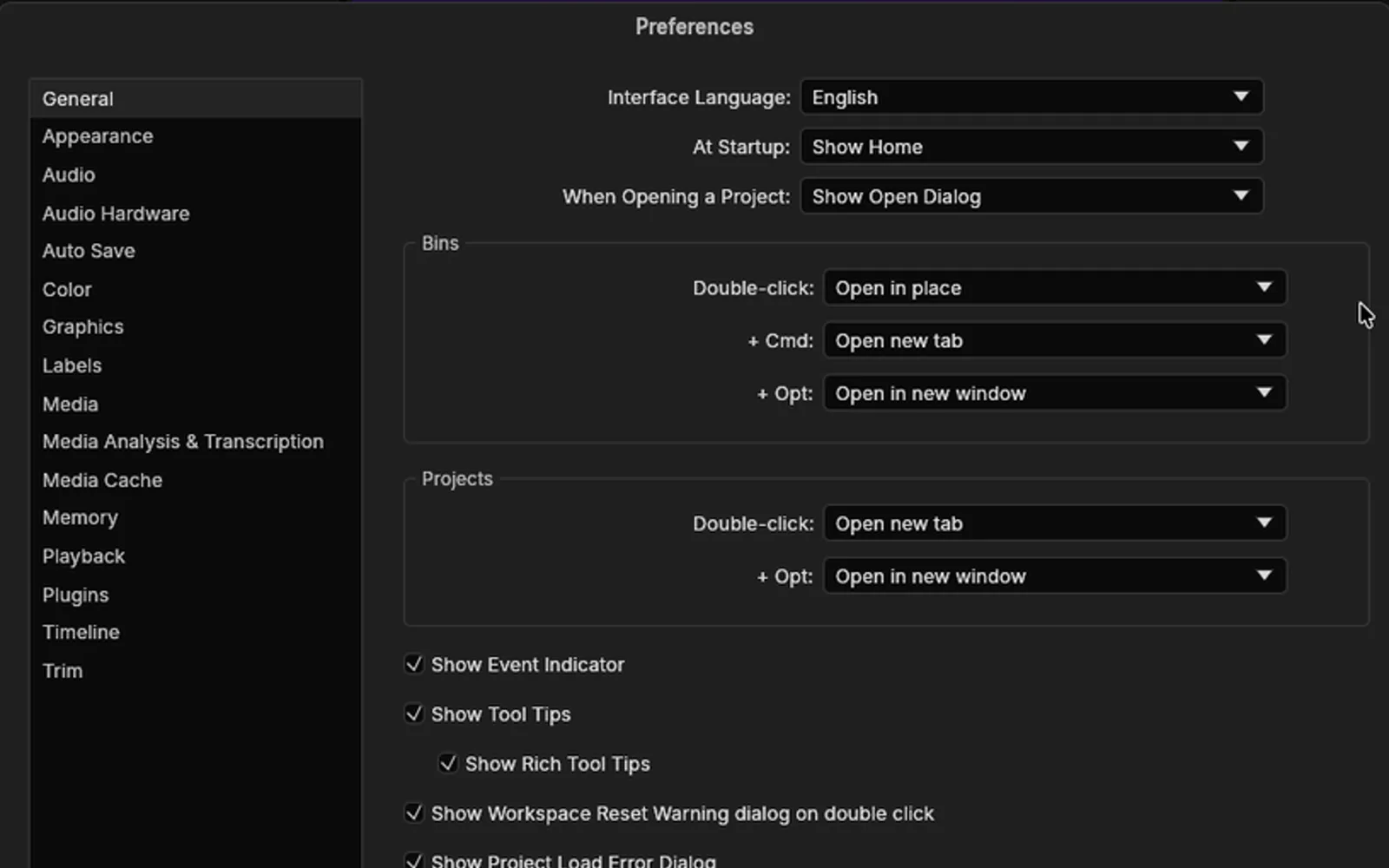
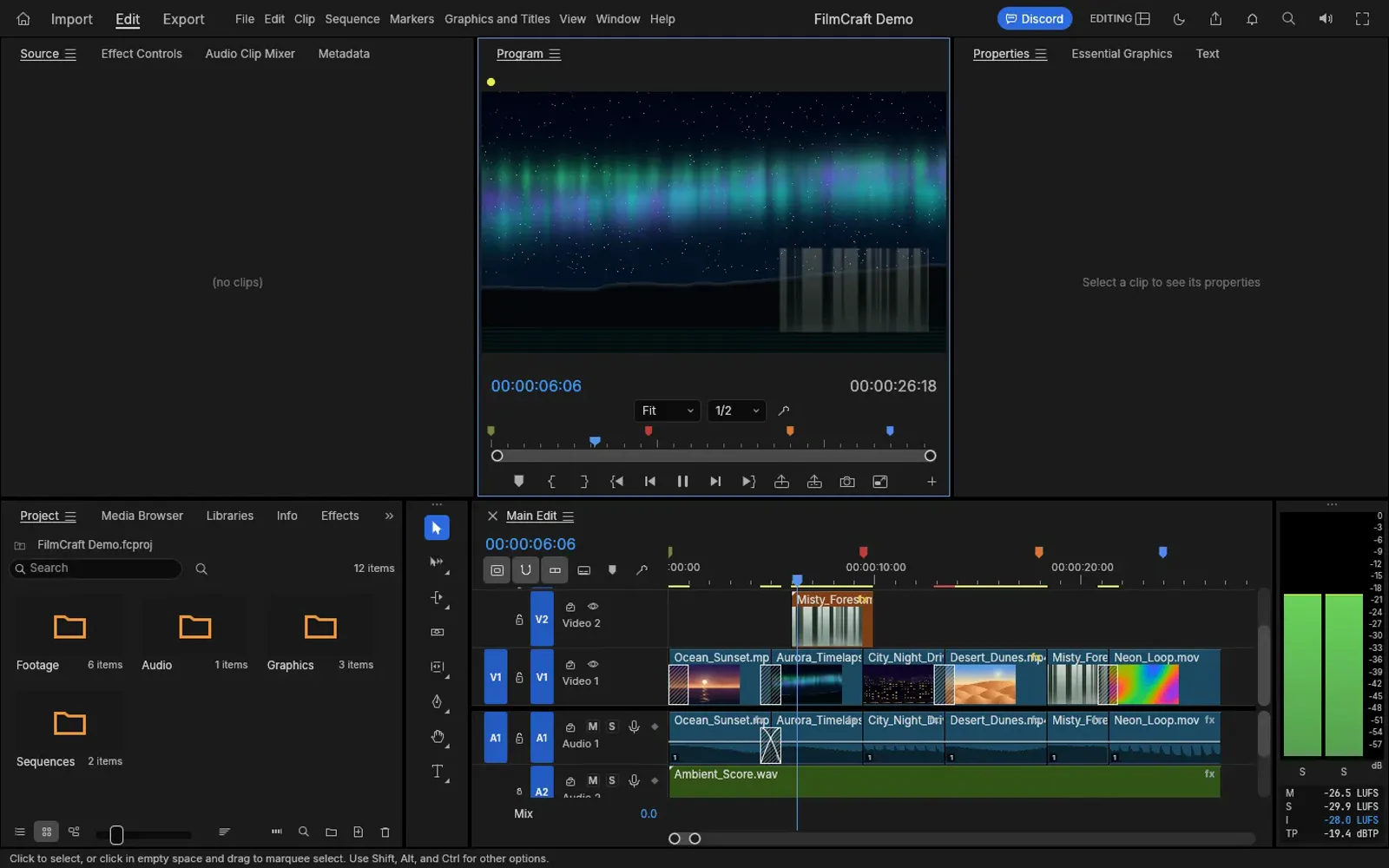
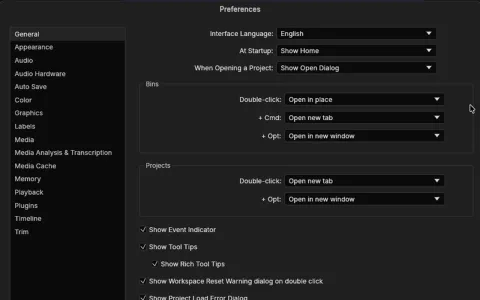
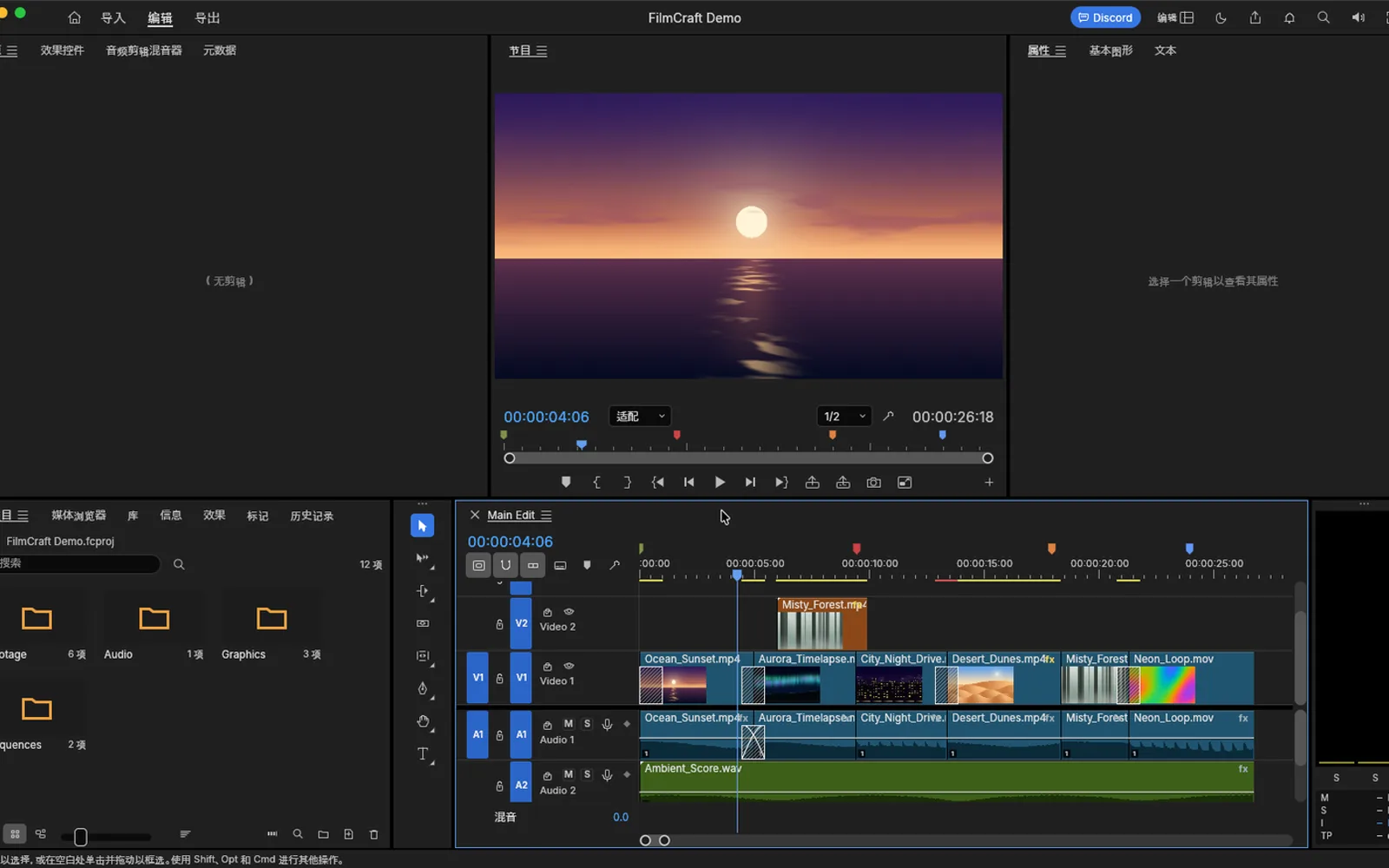
Three screenshots we took: the Mac app opening the bundled demo project, Preferences switched to English, and the browser build playing the same demo. Hover to zoom.

FilmCraft Demo — 0.7.2Mac and web
FilmCraft 0.7.2 on macOS with the built-in demo project open: media bins, Program monitor and a three-track timeline FilmCraft Preferences on macOS with Interface Language set to English FilmCraft 0.7.2 in the browser playing the demo project at 00:00:06:06 1
Screenshots by ArtCraft Tutorial · FilmCraft 0.7.2 · macOS and web · Oct 14–15, 20261 / 3

What we tried, and what happened

In the browser build (Oct 14, 2026)

  • ✓Opened the built-in FilmCraft Demo and played it: timecode 00:00:06:06 of 00:00:26:18, level meters green.FilmCraft browser build playing the demo project
  • ✓Paused and resumed — the playhead held its place.
  • ◐Opened the Export menu to read the presets. Our run ended before a file came out.

On a Mac (Oct 14 and 15, 2026)

  • ✓Launched the 0.7.2 Mac app; it loads the same demo project at start-up.FilmCraft 0.7.2 Mac app at launch with the demo project
  • ✓Switched the interface language to English in Preferences (Cmd-comma); it stayed set.FilmCraft Preferences with Interface Language set to English
  • ◐We haven't finished a desktop save or export test yet.

Screenshots by ArtCraft Tutorial · FilmCraft 0.7.2 · Oct 14–15, 2026

What ArtCraft says it can do

From FilmCraft's own README — ArtCraft's claims, not our test results:

  • Three-point editing. Mark In and Out in the Source monitor, then insert or overwrite onto the patched tracks; lift and extract take ranges back out. Not tested by us yet.
  • Every trim. Ripple, roll, slip, slide, rate stretch and razor tools, a Trim Monitor showing both sides of the edit, and dynamic trimming while it plays. Not tested by us yet.
  • Exact time. Every edit is computed on integer ticks — 254,016,000,000 per second — so 23.976, 29.97 drop-frame and 59.94 are exact, not approximate. Not tested by us yet.
  • Your keys. A shortcut editor with a drawn keyboard and presets for FilmCraft, Premiere Pro, Final Cut Pro and Avid layouts. Not tested by us yet.
  • Delivery and interchange. H.264 MP4 with AAC from FilmCraft's own encoders, plus ProRes, MXF, PNG sequences and WAV, and FCP7 XML, FCPXML, OpenTimelineIO, EDL, AAF and OMF. Not tested by us yet.

If you're coming from Premiere Pro

Premiere habits we checked
You want to…In Premiere ProIn FilmCraft
Stage a cutSource and Program monitorsThe same two monitors, demo already loaded
Ripple and roll edgesRipple, roll, slip, slide toolsThe same trim set, plus a Trim Monitor (README)
Insert instead of overwriteOverwrite and Insert buttonsMark In and Out, then insert or overwrite (README)
Keep syncSync locks, linked selectionSync locks and linked selection on the timeline (README)
Bring a project overOpen a .prprojNot yet — bring sequences in as FCP7 XML, AAF or OTIO (README)
Keep your keyboardPremiere key layoutA shortcut editor with a Premiere Pro preset (README)

We'll add rows as we test more. If something here behaves differently on your machine, tell us at contact@artcrafttutorial.com.

How to get it

FilmCraft is free and needs no account. Release 0.8.0 published 26 files; these are the four most people want.

FilmCraft 0.8.0 — the four main filesOct 14, 2026
Your computerFileSize
Mac (Apple silicon and Intel)filmcraft-0.8.0-macos-universal.dmg70.3 MB
Windows 10/11, 64-bitfilmcraft-0.8.0-windows-x64.msi54.6 MB
Linux, x86-64filmcraft-0.8.0-linux-x86_64.AppImage62.9 MB
Prefer the browserfilmcraft-web-0.8.0.zip (you host it)12.7 MB

The same release carries .deb, .rpm, Flatpak and tarballs for x86-64 and aarch64, RISC-V packages, a FreeBSD tarball, portable Windows zips and the command-line build. There is a SHA256SUMS.txt beside them — our download guide explains how to check the hash.

Open the FilmCraft releases on GitHub →

What we haven't tested yet

  • A desktop save or export. Both Mac runs stopped before a file reached the disk, and the browser run ended at the Export menu.
  • Your own footage. We only played the demo project that ships with the app.
  • Interchange. We never opened or wrote FCP7 XML, FCPXML, OTIO, EDL, AAF or OMF.
  • GPU paths. Our browser run had no GPU, so hardware decoding went untested.

Common questions

Q1Is FilmCraft free?
Yes. It is open source, with no account and no subscription, and installers are published on GitHub.
Q2What licence is FilmCraft under?
Its README says MIT OR Apache-2.0 and GitHub's repository API lists Apache-2.0 — a permissive open-source licence either way.
Q3Where is FilmCraft on GitHub?
At github.com/storytold/filmcraft, with 13,678 stars when we checked on Oct 15, 2026.
Q4Does FilmCraft run on Windows or Linux?
Yes, and each release also carries a browser build you host yourself. Windows gets an MSI or a portable zip for x64 and ARM64; Linux gets an AppImage, deb, rpm, Flatpak and tarball.
Q5Can FilmCraft open Premiere projects?
Not the project file: .prproj cannot be opened yet. The README says sequences come over as FCP7 XML, AAF or OTIO. We have not tried a round trip.

Related guides

The tools either side of FilmCraft: What is ArtCraft? explains how the studio and the thirteen apps fit together, and EffectCraft is the compositor in the same family.