X 0 · Y 0

Home / Apps / EffectCraft

EffectCraft: a free compositor that animates like After Effects

EffectCraft is the motion graphics and visual effects app in the ArtCraft family — free, open source, and built around the Adobe After Effects way of working with compositions, layers, keyframes and a timeline. The current release is 0.10.0 (Oct 14, 2026), for Mac, Windows, Linux and FreeBSD, with the same compositor compiled for the browser. Our own runs below are on the 0.9.2 build we tested on Oct 14, 2026.

Version0.10.0
StatusIn development
Runs onMac, Windows, Linux, FreeBSD, browser
PriceFree
Facts checked Oct 15, 2026X — Y —

What it looks like

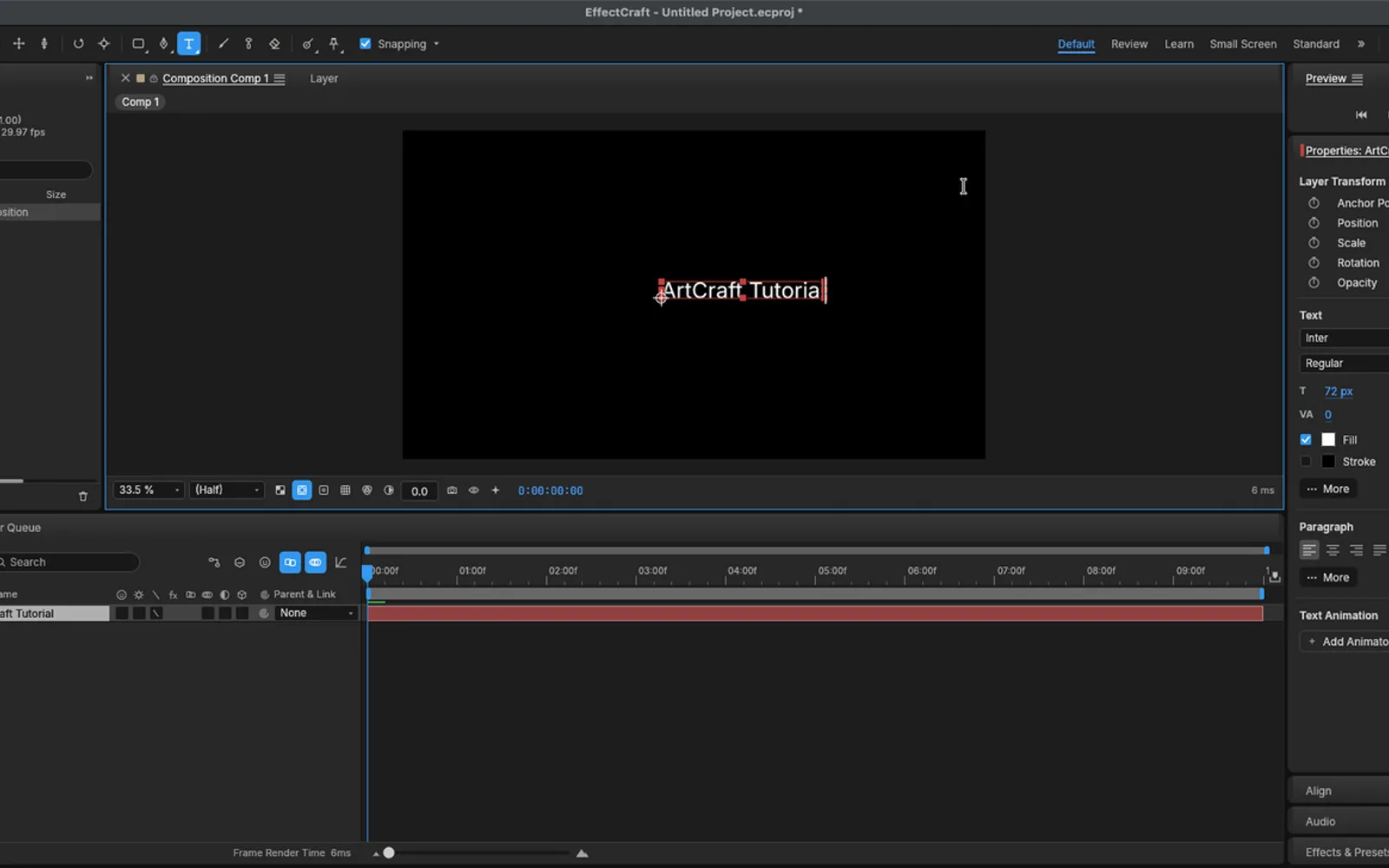
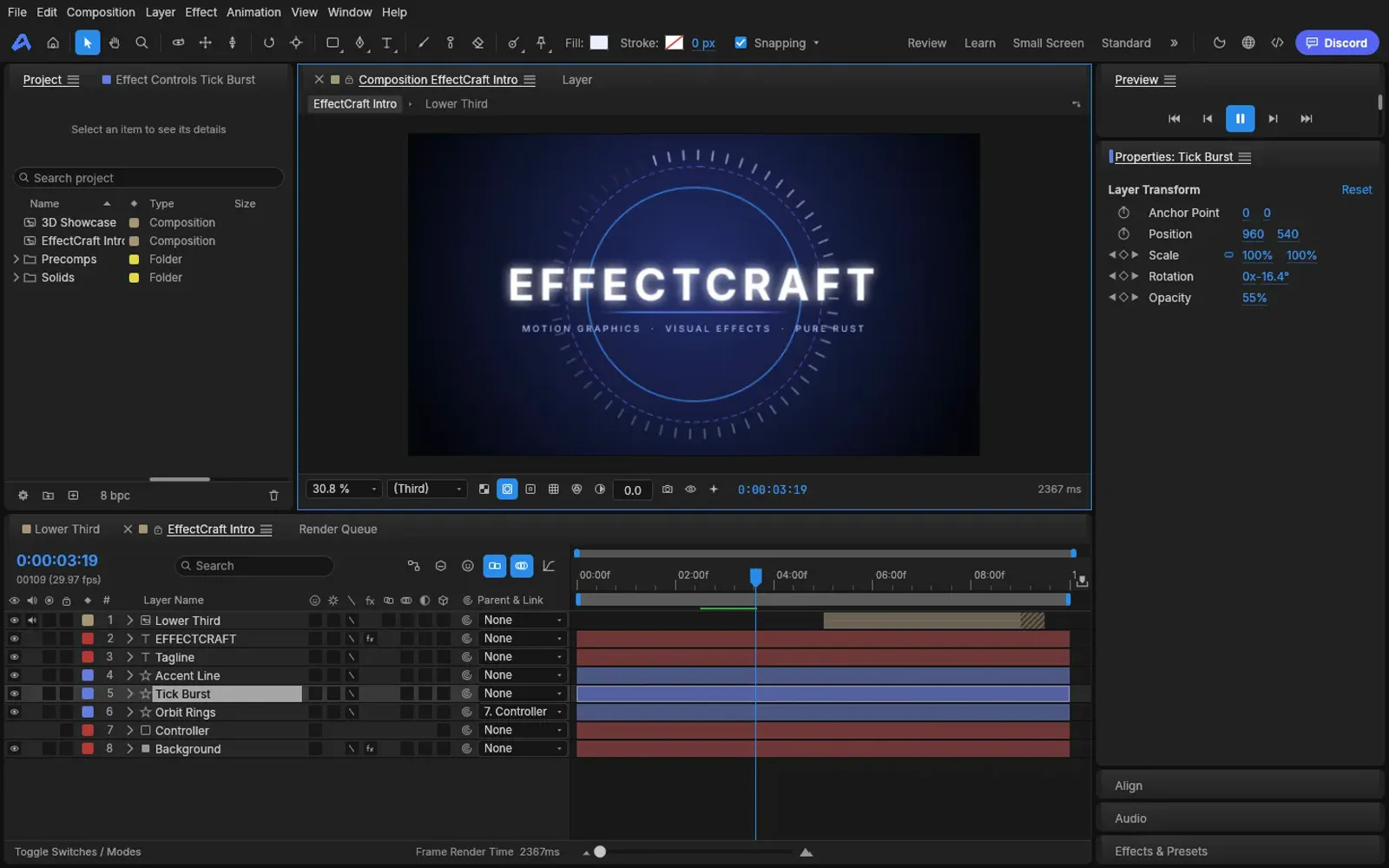
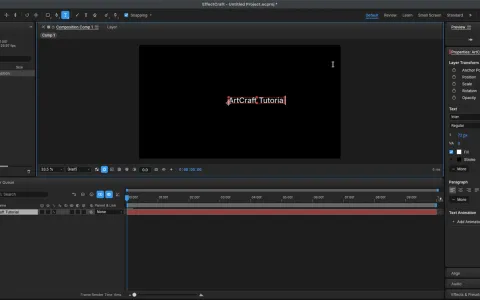
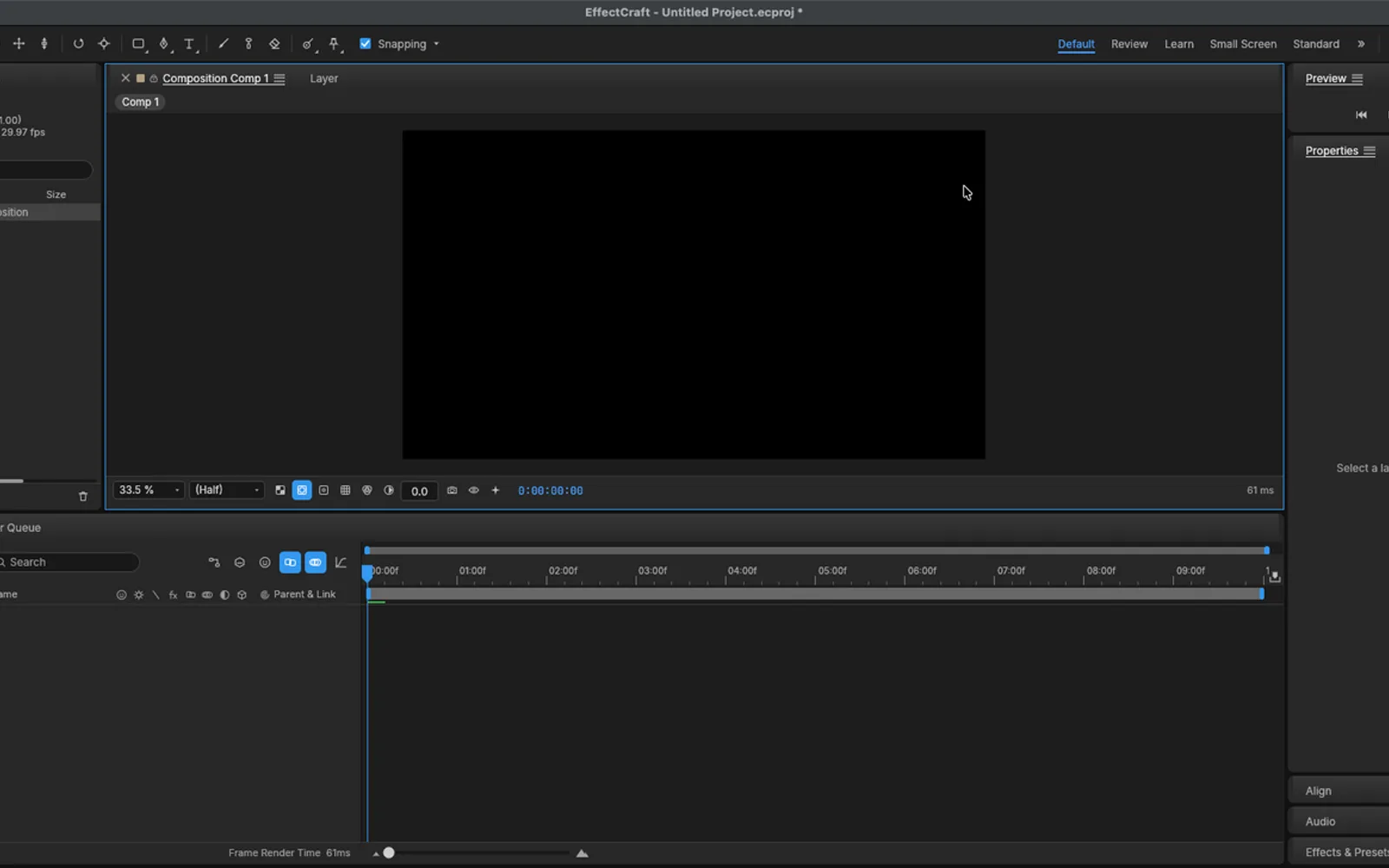
Three screenshots we took: the Mac app with a composition we created, the same composition after we typed on the canvas, and the browser build playing its own intro. Hover to zoom.

Untitled Project.ecproj — 0.9.2Mac and web
EffectCraft 0.9.2 on macOS with a new 1920 by 1080 composition called Comp 1 EffectCraft 0.9.2 with the words ArtCraft Tutorial typed on the composition canvas EffectCraft 0.9.2 browser build playing the bundled intro composition at 0:00:03:19 1
Screenshots by ArtCraft Tutorial · EffectCraft 0.9.2 · macOS and web · Oct 14, 20261 / 3

What we tried, and what happened

In the browser build (Oct 14, 2026)

  • ✓Played the bundled EffectCraft Intro composition: it advanced to 0:00:03:19 and held frame rate on CPU alone.EffectCraft browser build playing the bundled intro
  • ◐Our headless browser has no real GPU, so the console printed GPU compositor unavailable … no compute shaders and both frame workers reported CPU only. That is our environment, not a verdict on your machine.
  • ◐First screen took 4399 ms.

On a Mac (Oct 14, 2026)

  • ✓Created a composition through Composition Settings and pressed OK; it appeared in the Project panel as Comp 1, 1920 × 1080.EffectCraft with a new composition called Comp 1
  • ✓Wrote ArtCraft Tutorial on the canvas with the text tool; the layer showed up in the timeline with transform, text and paragraph settings.EffectCraft with ArtCraft Tutorial typed on the canvas
  • ◐After we pressed play, the accessibility tree we drive the app through blew up and we lost control of the window for the rest of that run.

Screenshots by ArtCraft Tutorial · EffectCraft 0.9.2 · Oct 14, 2026

What ArtCraft says it can do

From EffectCraft's own README — ArtCraft's claims, not our test results:

  • 306 effects, layer styles and expressions. The README describes compositions, layers, keyframes, layer styles, JavaScript expressions with the After Effects object model, 3D cameras and lights, and a render queue. Not tested by us yet.
  • Lottie in and out. Import and export are built in, so animations can go straight to the web and to apps without a plugin. Not tested by us yet.
  • Everything is scriptable. Every menu item, timeline drag and property edit goes through one command registry, reachable from a command line, a JSON control channel and an MCP server. Not tested by us yet.
  • No FFmpeg. Video and audio decoding and encoding are pure Rust, using FilmCraft's codecs and EffectCraft's own encoders. Not tested by us yet.

If you're coming from After Effects

After Effects habits we checked
You want to…In After EffectsIn EffectCraft
Find your panelsProject, Composition, Timeline, Effect Controls, Effects & PresetsThe same five panels, laid out the same way (README)
Start a compComposition › New CompositionComposition Settings, 1920 × 1080 by default — we made one
Add a titleText tool on the compText tool on the canvas, with transform, text and paragraph groups — we wrote one
Animate a propertyKeyframes with Bezier and easeLinear, Bezier, hold, auto and continuous Bezier, roving keyframes (README)
Open an existing projectA .aep or .aepxNot supported — projects are .ecproj, and After Effects plug-ins do not run (README)
Send motion to the webBodymovin plug-inLottie import and export built in (README)

How to get it

EffectCraft is free and needs no account. Release 0.10.0 published 26 files; these are the four most people want.

EffectCraft 0.10.0 — the four main filesOct 14, 2026
Your computerFileSize
Mac (Apple silicon and Intel)effectcraft-0.10.0-macos-universal.dmg61.1 MB
Windows 10/11, 64-biteffectcraft-0.10.0-windows-x64.msi48.1 MB
Linux, x86-64effectcraft-0.10.0-linux-x86_64.AppImage56.0 MB
Prefer the browsereffectcraft-web-0.10.0.zip (you host it)18.1 MB

The same release carries .deb, .rpm, Flatpak and tarballs for x86-64 and aarch64, RISC-V packages, a FreeBSD tarball and a command-line build, with a SHA256SUMS.txt beside them — our download guide explains how to check the hash.

Open the EffectCraft releases on GitHub →

What we haven't tested yet

  • Rendering anything out. We never ran the render queue, so we can't describe the output formats or the settings around them.
  • Keyframes and effects. We made a comp and typed a title; nothing was animated and no effect was applied.
  • 3D cameras, lights and expressions. All untested by us.
  • The optional model downloads for Roto Brush and face tracking in Settings.

Common questions

Q1Is EffectCraft free?
Yes. It is open source, with no account and no subscription.
Q2What licence is EffectCraft under?
Its README says MIT OR Apache-2.0 and GitHub's repository API lists Apache-2.0 — a permissive open-source licence either way.
Q3Where is EffectCraft on GitHub?
At github.com/storytold/effectcraft, with 6,742 stars when we checked on Oct 15, 2026.
Q4Does EffectCraft run on Windows or Linux?
Yes, and the same release includes a browser build you host yourself. Windows: MSI or portable zip for x64 and ARM64. Linux: AppImage, deb, rpm, Flatpak and tarball. FreeBSD gets a tarball too.
Q5Can EffectCraft replace After Effects?
Its README says about 91% of After Effects' features exist, but that it is nearer 45% of the way to replacing it for professional work — and it cannot open .aep files. It is for trying things and reporting what breaks, not for client deadlines.

Related guides

Where EffectCraft sits: What is ArtCraft? covers the studio and the thirteen apps, and the download guide names the right file for your machine.