X 0 · Y 0

Home / Apps / CADCraft

CADCraft: a free 2D CAD app that keeps the AutoCAD line

CADCraft is the drafting app in the ArtCraft family — free, open source, and built around the Autodesk AutoCAD habit of typing at a command line and clicking points on a grid. The current release is 0.7.0 (Oct 14, 2026), for Mac, Windows, Linux and FreeBSD, with the same code compiled for the browser. Our own runs below are on the 0.6.2 build we tested on Oct 14, 2026.

Version0.7.0
StatusIn development
Runs onMac, Windows, Linux, FreeBSD, browser
PriceFree
Facts checked Oct 15, 2026X — Y —

What it looks like

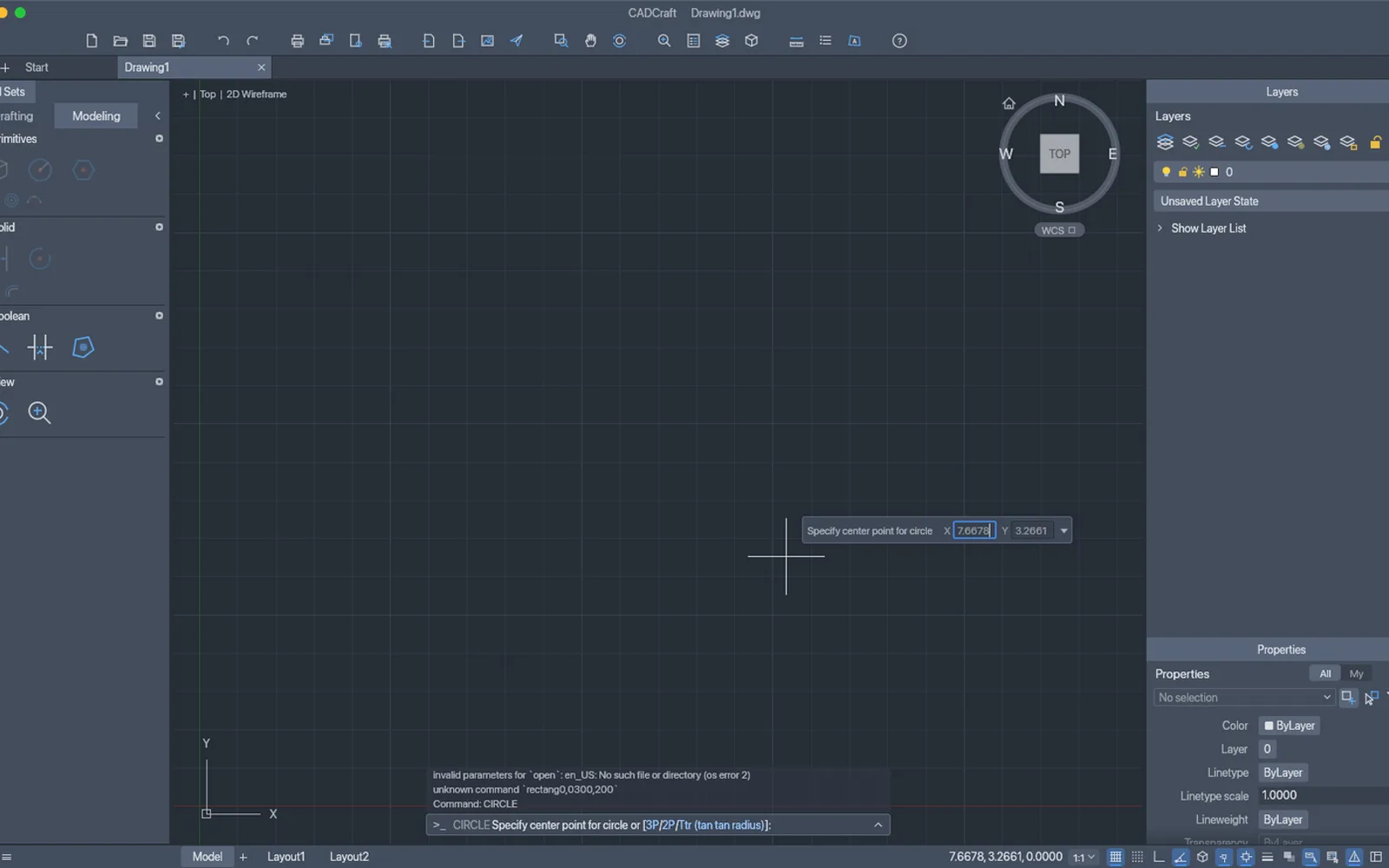
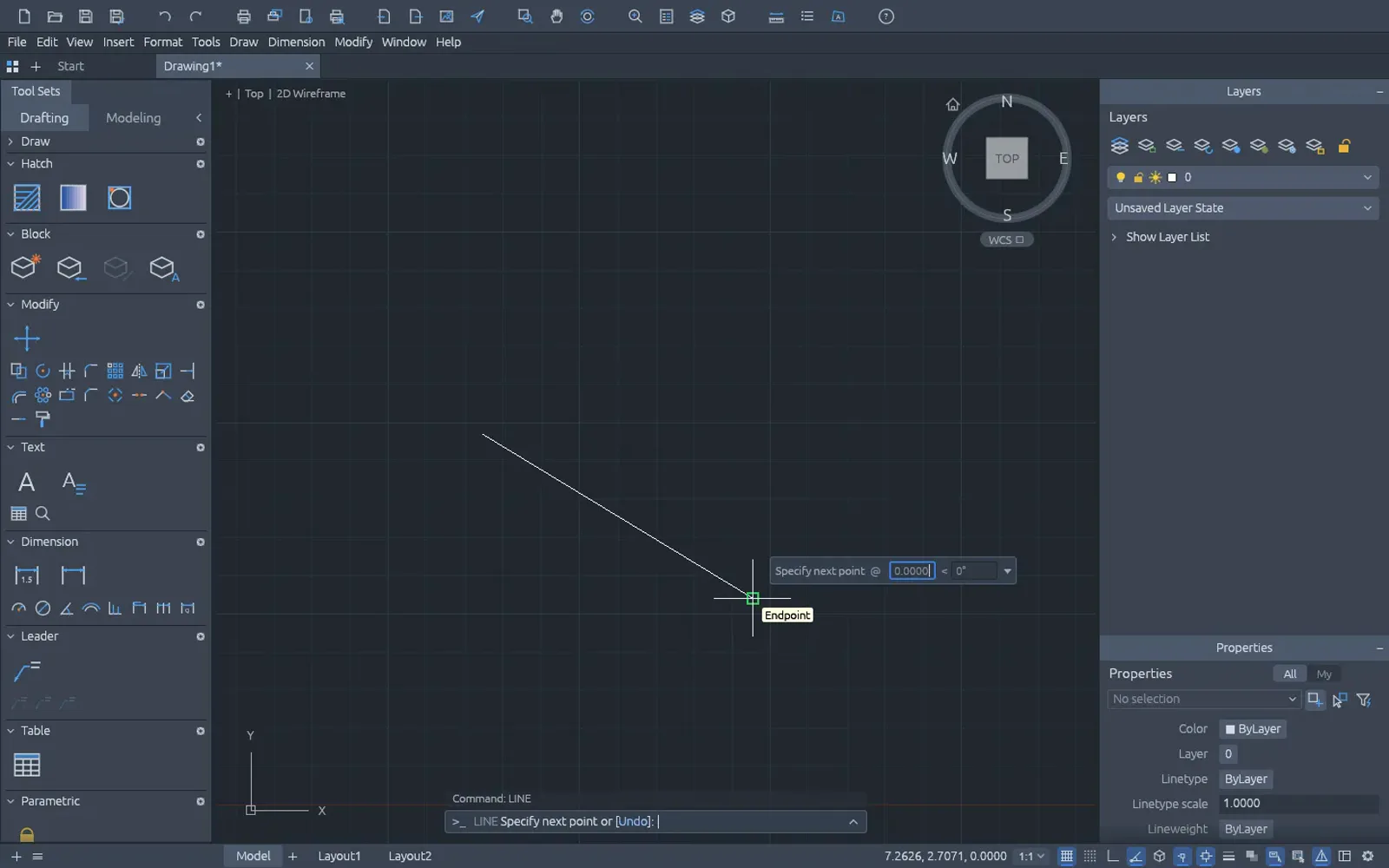
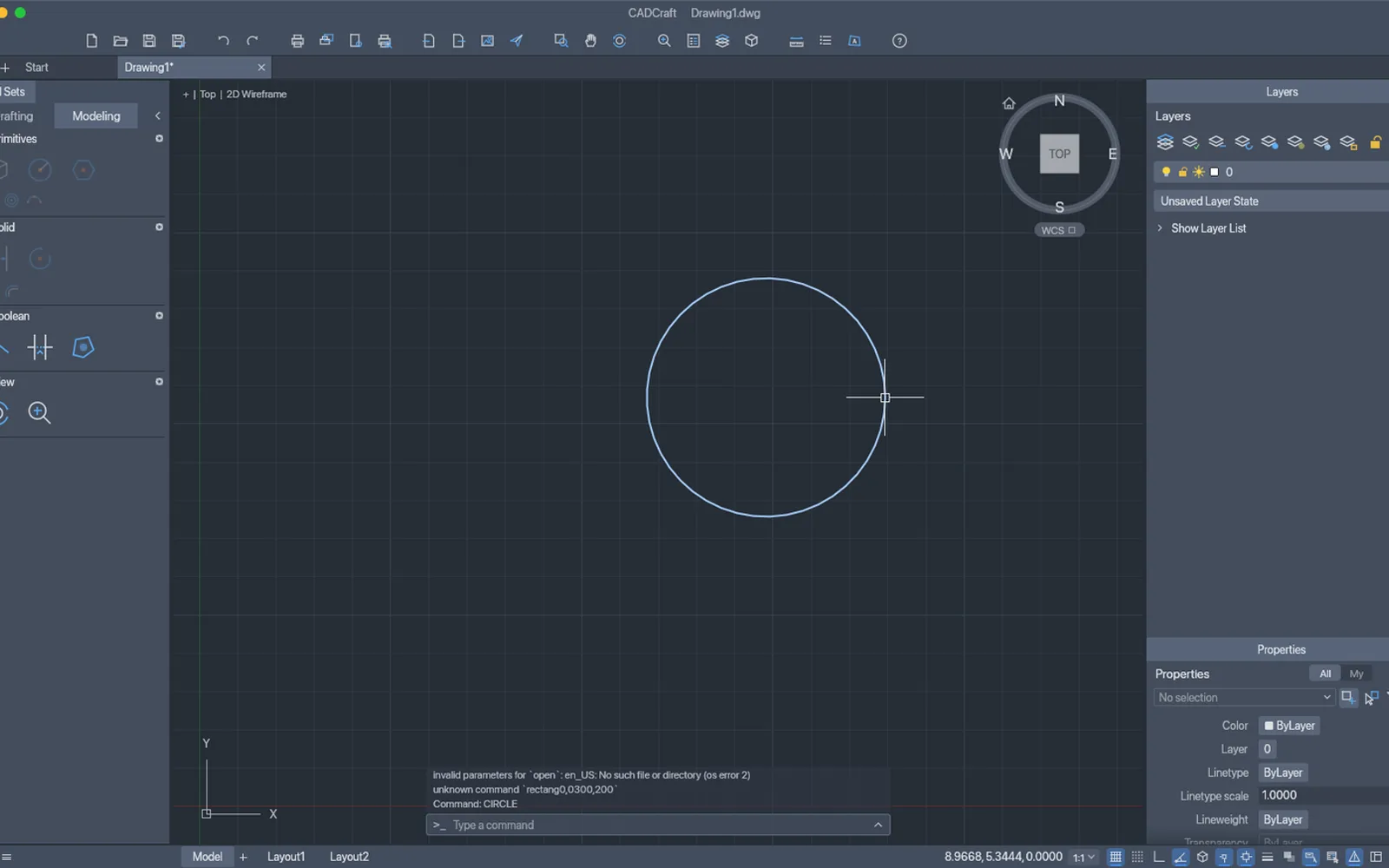
Three screenshots we took: the Mac app with the circle we drew, the same app mid-command, and the browser build after a LINE command. Hover to zoom.

Drawing1 — 0.6.2Mac and web
CADCraft 0.6.2 on macOS with a circle drawn on the grid and the command history showing the CIRCLE command CADCraft 0.6.2 mid-command, prompting for the centre point of a circle CADCraft 0.6.2 browser build with a line drawn from the command line 1
Screenshots by ArtCraft Tutorial · CADCraft 0.6.2 · macOS and web · Oct 14, 20261 / 3

What we tried, and what happened

In the browser build (Oct 14, 2026)

  • ✓Typed LINE at the command line. The history read Command: LINE and a white line appeared across the grid on drawing Drawing1.CADCraft browser build with a line drawn from the command line
  • ◐We did not get a drawing out of the browser build — our run ended before an export or save landed.
  • ◐First screen took 3583 ms.

On a Mac (Oct 14, 2026)

  • ✓Typed circle at the command line, clicked a centre and a radius point, and got a circle on the grid; the drawing became Drawing1*.CADCraft with a circle drawn on the grid
  • ✓The prompt bar asked for each input in turn and showed its keywords, so the command was usable without the menus.
  • ◐Cmd-S did nothing in our run, and the history carried one error from our launch: invalid parameters for 'open': en_US, a language flag the app read as a file. Its own UI was English and worked.

Screenshots by ArtCraft Tutorial · CADCraft 0.6.2 · Oct 14, 2026

What ArtCraft says it can do

From CADCraft's own README — ArtCraft's claims, not our test results:

  • The workflow you know. Type L, click two points, type @5<45, press Enter: prompts with clickable keywords, AutoComplete, direct distance entry, window and crossing selection, grips and right-click-to-repeat. We used this shape of workflow for one line and one circle.
  • Object snaps. Endpoint, midpoint, centre, quadrant, intersection, perpendicular, tangent, nearest, with polar tracking, ortho and grid snap. Not tested by us yet.
  • Open files. DXF read and written natively in ASCII and binary, R12 through 2018; DWG (R13 through 2018) opens and saves through an open-source library; export to SVG and PNG. Not tested by us yet.
  • Tools beyond drawing. Modify commands, layers and a Layer Properties Manager, dimensions, hatches, blocks, tables and multileaders. Not tested by us yet.
  • Built for agents. Every menu item, tool and prompt is a command reachable over MCP, a JSON control channel or the CLI. Not tested by us yet.

If you're coming from AutoCAD

AutoCAD habits we checked
You want to…In AutoCADIn CADCraft
Type instead of clickCommand line at the bottomThe same, with history and a Type a command box — we drew with it
Draw a lineLINE, two pointsLINE, two points (Command: LINE in our screenshot)
Draw a circleCIRCLE, centre and radiuscircle, centre and radius, with [2Point 3Point] keywords offered
Enter relative coordinates@10,0 and @5<45The same syntax (README)
Keep drawings.dwg filesDXF natively, and DWG through an open-source library (README)
Snap to geometryObject snaps (F3)The same snap list, plus polar tracking and ortho (README)

How to get it

CADCraft is free and needs no account. Release 0.7.0 published 26 files; these are the four most people want.

CADCraft 0.7.0 — the four main filesOct 14, 2026
Your computerFileSize
Mac (Apple silicon and Intel)cadcraft-0.7.0-macos-universal.dmg64.0 MB
Windows 10/11, 64-bitcadcraft-0.7.0-windows-x64.msi46.5 MB
Linux, x86-64cadcraft-0.7.0-linux-x86_64.AppImage55.1 MB
Prefer the browsercadcraft-web-0.7.0.zip (you host it)8.1 MB

The same release carries .deb, .rpm, Flatpak and tarballs for x86-64 and aarch64, RISC-V packages, a FreeBSD tarball and a command-line build, with a SHA256SUMS.txt beside them — our download guide explains how to check the hash.

Open the CADCraft releases on GitHub →

What we haven't tested yet

  • Opening or saving a drawing. We never loaded a DXF or DWG and never wrote one out.
  • Dimensions, hatches, blocks and layouts. The daily work of a real drawing, all untested by us.
  • Plotting and printing. We have not sent a sheet to a printer or a PDF.
  • Object snaps and tracking. Our two commands were placed by eye, so the snap behaviour went unexercised.

Common questions

Q1Is CADCraft free?
Yes. It is open source, with no account and no subscription.
Q2What licence is CADCraft under?
Its README says MIT OR Apache-2.0 and GitHub's repository API lists Apache-2.0 — a permissive open-source licence either way.
Q3Where is CADCraft on GitHub?
At github.com/storytold/cadcraft, with 5,052 stars when we checked on Oct 15, 2026.
Q4Does CADCraft run on Windows or Linux?
Yes, and the same release includes a browser build you host yourself. Windows: MSI or portable zip for x64 and ARM64. Linux: AppImage, deb, rpm, Flatpak and tarball.
Q5Can CADCraft open my DWG files?
The README says DWG from R13 through 2018 opens and saves through an open-source library, and DXF is handled natively from R12 to 2018. We have not tried either, so verify it on a copy of your drawing.

Related guides

Where CADCraft sits: What is ArtCraft? covers the studio and the thirteen apps, and our download guide names the right file for your machine.