X 0 · Y 0

Home / Apps / LightCraft

ArtCraft LightCraft: a free photo library that develops raws like Lightroom

LightCraft is the photo library and raw developer in the ArtCraft family — free, open source, and built around the Adobe Lightroom workflow of a catalogue, a filmstrip and a stack of adjustment panels. The current release is 0.8.0 (Oct 14, 2026), for Mac, Windows, Linux and FreeBSD, with a browser build of the same app. Our own runs below are on the 0.7.1 build we tested on Oct 14, 2026.

Version0.8.0
StatusIn development
Runs onMac, Windows, Linux, FreeBSD, browser
PriceFree
Facts checked Oct 15, 2026X — Y —

What it looks like

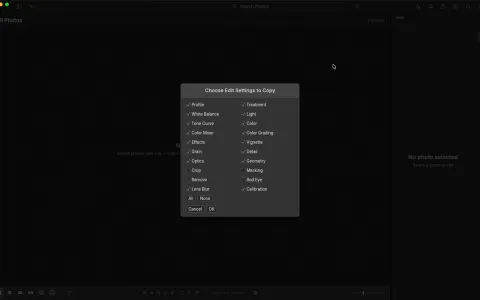
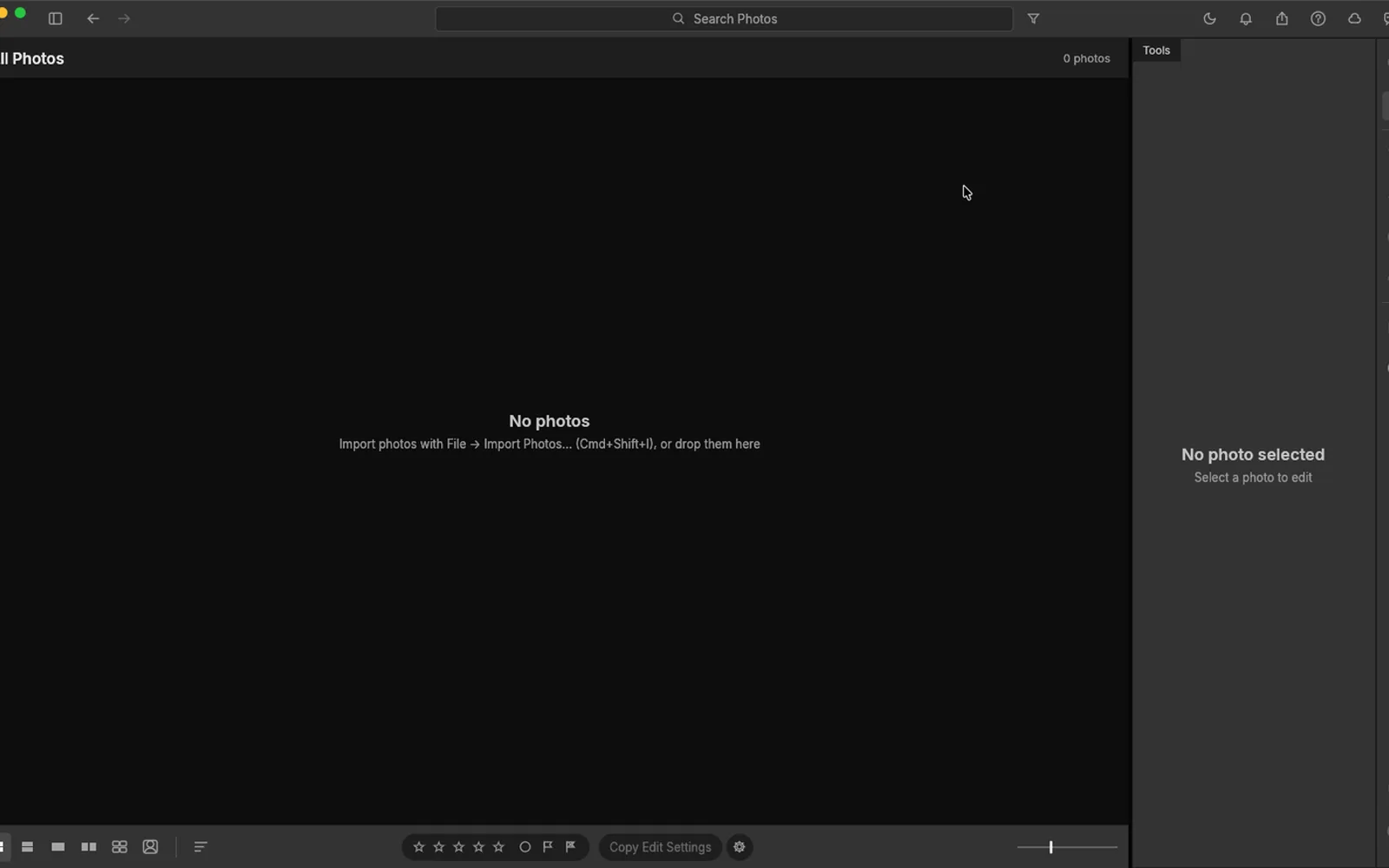
Three screenshots we took: the Mac app on its Library screen, a dialog from the same run, and the browser build with its sample library. Hover to zoom.

LightCraft 0.7.1 — LibraryMac and web
LightCraft 0.7.1 on macOS showing the All Photos library with the Tools panel and an empty photo grid LightCraft 0.7.1 Choose Edit Settings to Copy dialog listing Profile, White Balance, Tone Curve and the other settings LightCraft 0.7.1 browser build with a sample photo in the loupe and the Edit panel showing Light sliders 1
Screenshots by ArtCraft Tutorial · LightCraft 0.7.1 · macOS and web · Oct 14, 20261 / 3

What we tried, and what happened

In the browser build (Oct 14, 2026)

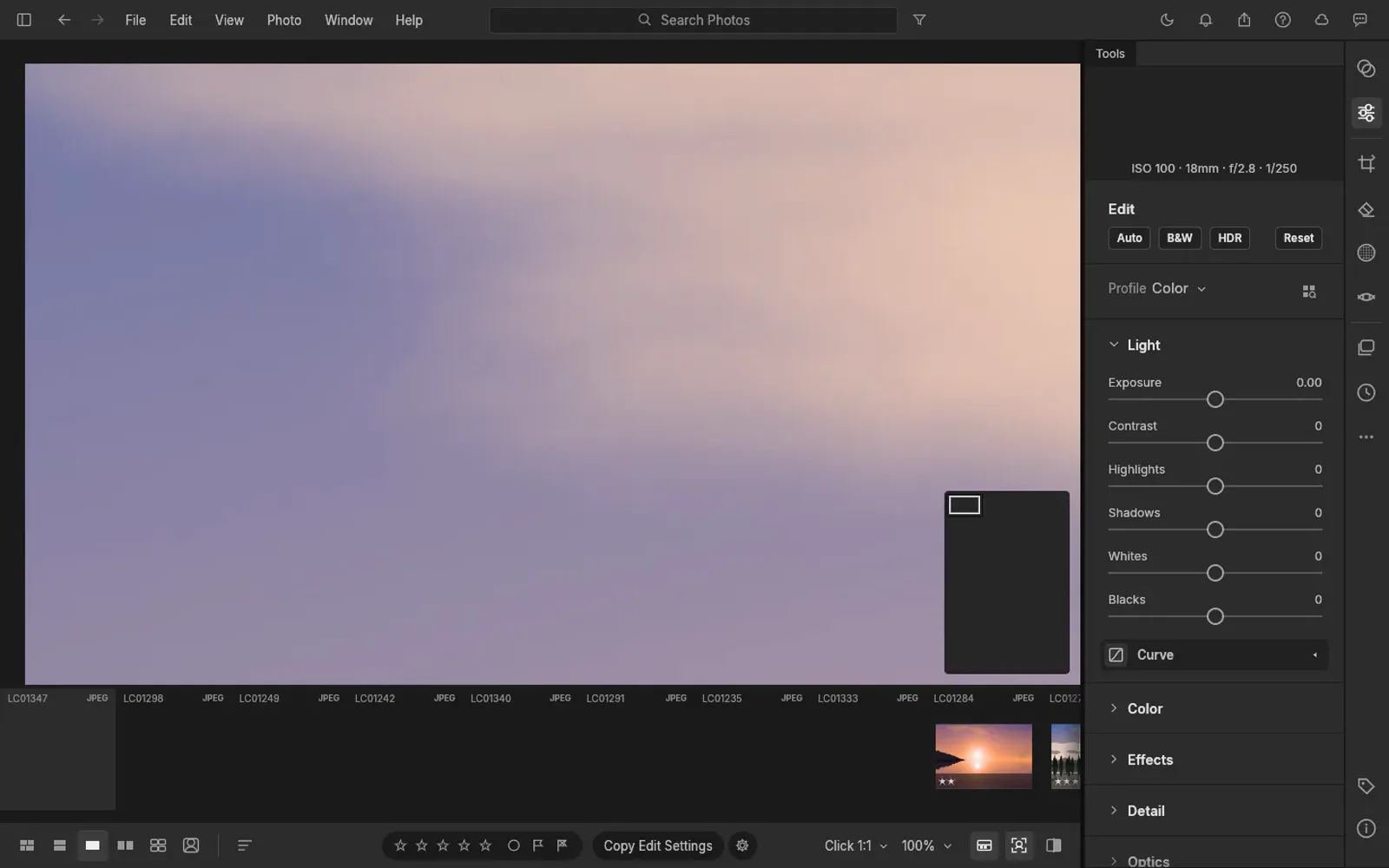
  • ✓Opened the browser build on a working library: a demo photo in the loupe and the Edit panel grouped into Light, Color, Effects, Detail and Optics.LightCraft browser build with a sample photo and the Edit panel
  • ◐File › Import Photos did not take the test image we drew. Our browser log says no filechooser after click 209,50, so Exposure stayed at 0.00 and the adjustment sliders went untested.
  • ◐First screen took 18706 ms — the slowest of the thirteen apps we opened that day. The page did appear and work afterwards.

On a Mac (Oct 14, 2026)

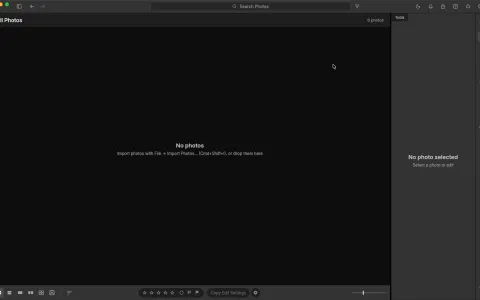
  • ✓Launched the 0.7.1 Mac app; the interface is English by default and it opened straight into the Library.LightCraft 0.7.1 on macOS showing the library screen
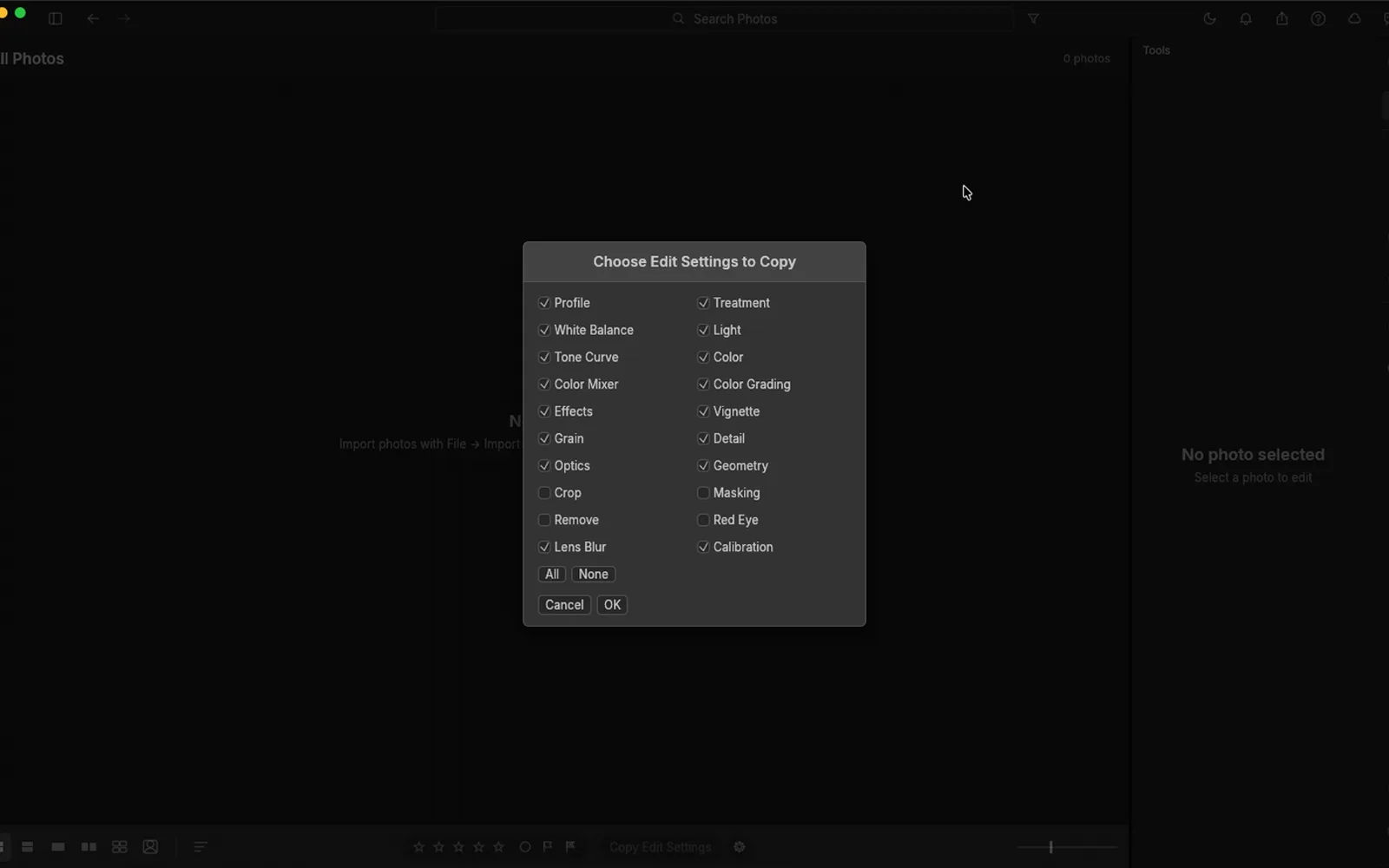
  • ✓Opened Copy Edit Settings from the toolbar and read the list of settings it can carry between photos.LightCraft Copy Edit Settings dialog
  • ◐Cmd-Shift-I, the import shortcut shown in the interface, did nothing in our run. We haven't finished a desktop save or export test yet either.

Screenshots by ArtCraft Tutorial · LightCraft 0.7.1 · Oct 14, 2026

What ArtCraft says it can do

From LightCraft's own README — ArtCraft's claims, not our test results:

  • Scene-referred and wide-gamut. Linear Rec.2020 float internally with a Bradford-adapted white balance, so highlights roll off instead of clipping. Not tested by us yet.
  • GPU-accelerated, CPU-exact. The develop pipeline runs as wgpu compute kernels on Metal, Vulkan or DirectX 12, with a CPU path checked against them. Not tested by us yet.
  • Contact sheets. File → Contact Sheet PDF… lays selected photos out on A4 or Letter. Not tested by us yet.
  • Local-first. No account, no cloud and no telemetry, with the catalogue kept as an append-only log on your machine. Not tested by us yet.

If you're coming from Lightroom

Lightroom habits we checked
You want to…In LightroomIn LightCraft
Keep a catalogueCatalog, Library moduleAll Photos library with a filmstrip and a Tools panel
Adjust exposureDevelop › BasicEdit panel › Light: Exposure, Contrast, Highlights, Shadows, Whites, Blacks (visible in our screenshot)
Work non-destructivelySliders over a raw fileThe README says every adjustment is non-destructive and originals are never touched
Import a folderImport dialogFile › Import Photos, shortcut Cmd-Shift-I (we saw the menu item)
Copy settings between shotsCopy and Paste SettingsCopy Edit Settings in the toolbar, then pick which groups to copy
Send a proof sheetPrint or Book moduleFile → Contact Sheet PDF… and File → Print… (README)

If something here behaves differently on your machine, tell us at contact@artcrafttutorial.com.

How to get it

LightCraft is free and needs no account. Release 0.8.0 published 24 files; these are the four most people want.

LightCraft 0.8.0 — the four main filesOct 14, 2026
Your computerFileSize
Mac (Apple silicon and Intel)lightcraft-0.8.0-macos-universal.dmg103.0 MB
Windows 10/11, 64-bitlightcraft-0.8.0-windows-x64.msi83.2 MB
Linux, x86-64lightcraft-0.8.0-linux-x86_64.AppImage94.4 MB
Prefer the browserlightcraft-web-0.8.0.zip (you host it)63.6 MB

The same release carries .deb, .rpm, Flatpak and tarballs for x86-64 and aarch64, RISC-V packages, a FreeBSD tarball and a command-line build. There is a SHA256SUMS.txt beside the downloads — our download guide explains how to check the hash.

Open the LightCraft releases on GitHub →

What we haven't tested yet

  • The develop pipeline. Because our file never entered the library, every slider stayed at 0.00 — we have not seen a raw develop, a mask or a crop.
  • Raw decoding. The README lists our own decoders for DNG, CR2/CR3, ARW, NEF and RAF; we never fed it a camera file.
  • A desktop save or export. Neither of our Mac runs reached the end of that path.
  • Catalogues and contact sheets. We have not built a catalogue, printed a contact sheet or moved edits between photos.

Common questions

Q1Is LightCraft free?
Yes. It is open source, with no account, no cloud and no subscription.
Q2What licence is LightCraft under?
Its README says MIT OR Apache-2.0 and GitHub's repository API lists Apache-2.0 — a permissive open-source licence either way.
Q3Where is LightCraft on GitHub?
At github.com/storytold/lightcraft, with 12,858 stars when we checked on Oct 15, 2026.
Q4Does LightCraft run on Windows or Linux?
Yes, and the same release includes a browser build you host yourself. Windows: MSI or portable zip for x64 and ARM64. Linux: AppImage, deb, rpm, Flatpak and tarball.
Q5Is LightCraft a Lightroom replacement?
Its own README is careful: about 81% of Lightroom by feature count, but nearer 61% as a day-to-day replacement, and camera colour calibration is still estimated rather than measured for some raws.

Related guides

Where LightCraft sits in the family: What is ArtCraft? covers the studio and the thirteen apps, and our download guide names the right file for your machine.