X 0 · Y 0

Home / Apps / DesignCraft

ArtCraft DesignCraft: a free page layout app that follows InDesign

DesignCraft is the page-layout and publishing app in the ArtCraft family — free, open source, and written from scratch in Rust. Its README calls it a clean-room reimplementation of Adobe InDesign. The latest version is 0.8.0 (Oct 14, 2026); the build we tested was 0.7.1.

Version0.8.0
StatusPre-alpha
Runs onMac, Windows, Linux, browser
PriceFree
Facts checked Oct 15, 2026X — Y —

What it looks like

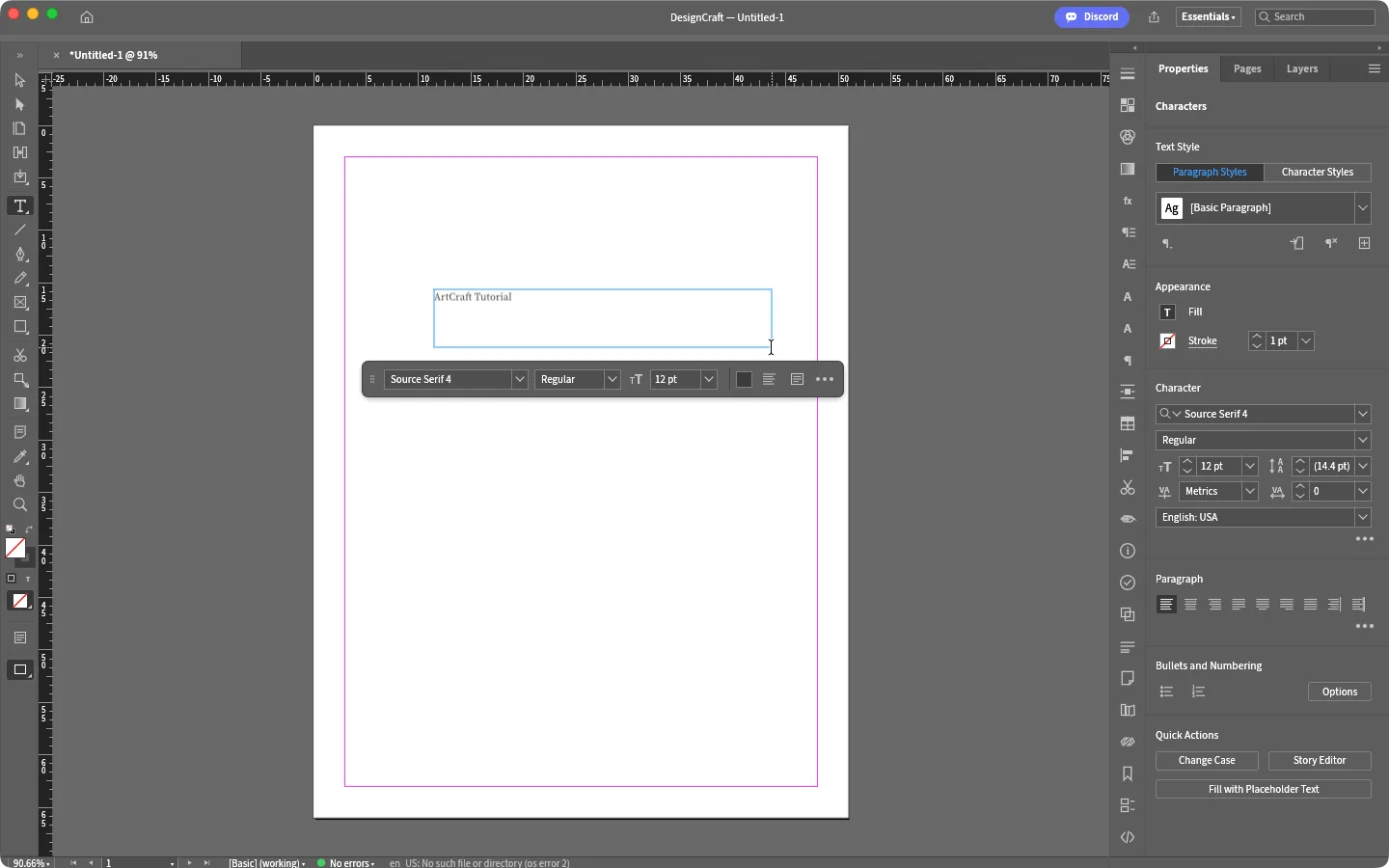
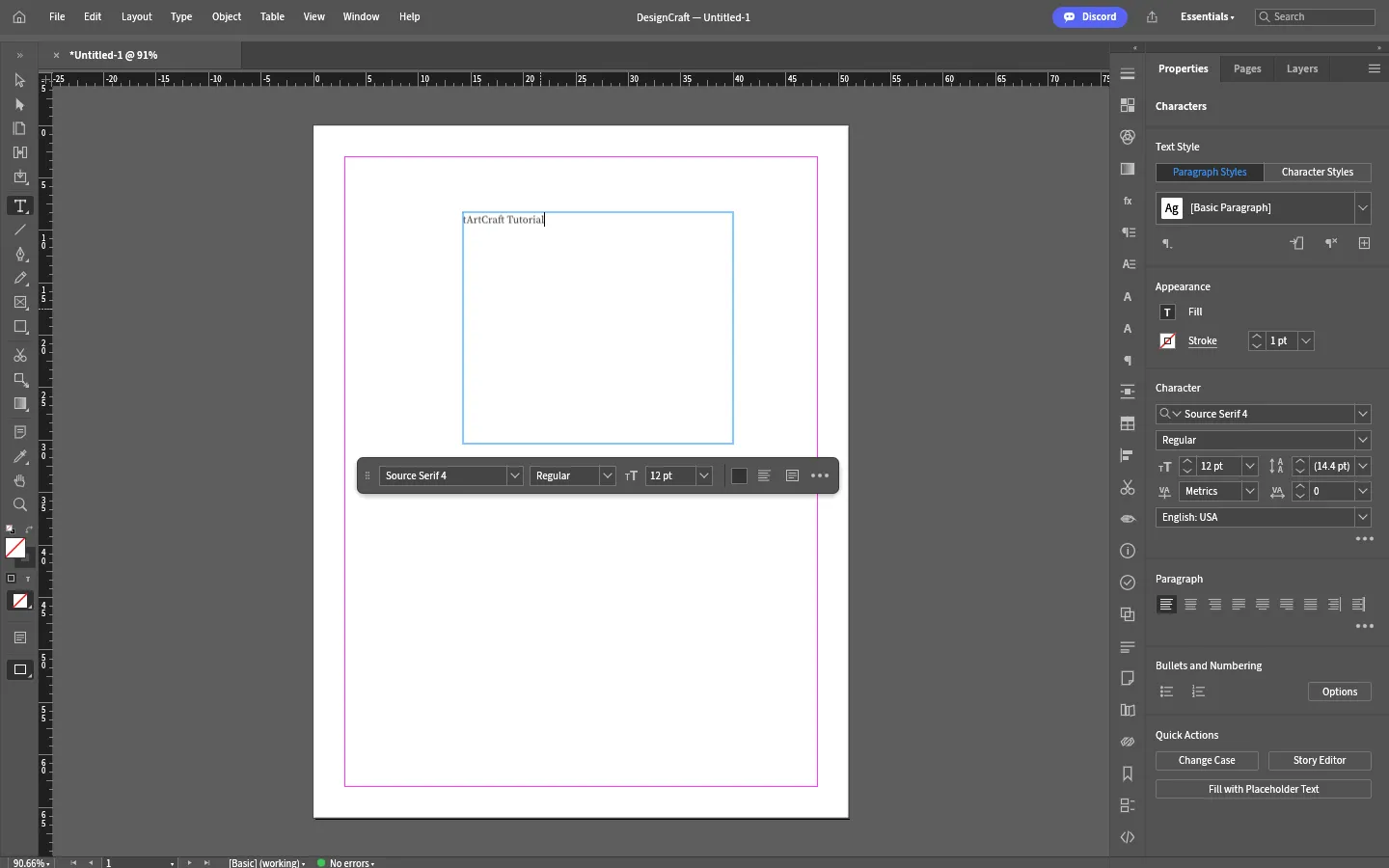
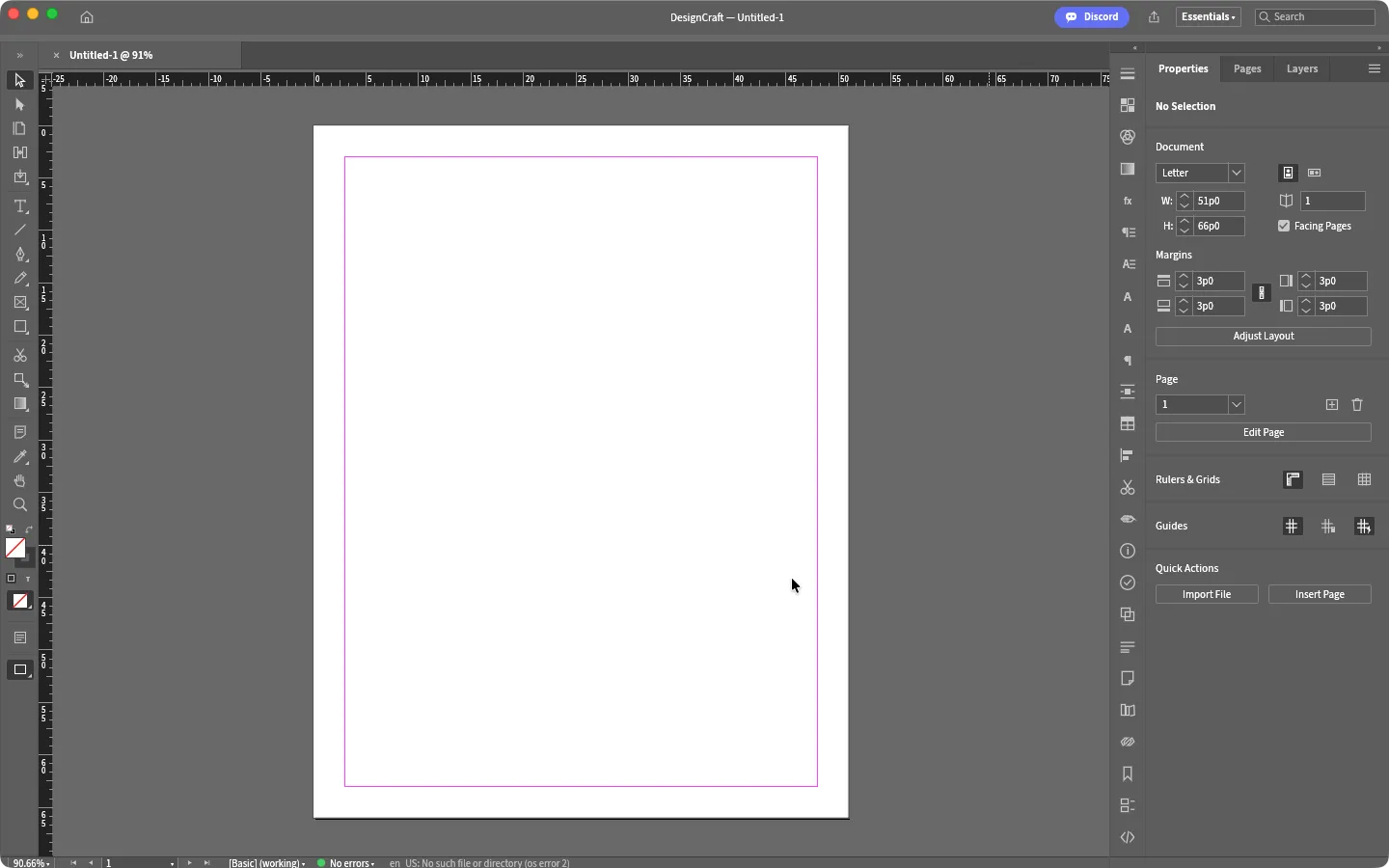
A Letter page and a text frame on a Mac, then the same job in the browser. Hover to zoom in.

DesignCraft 0.7.1 — Letter pageMac app
DesignCraft for Mac 0.7.1 with a new Letter document, rulers and the Properties panel DesignCraft for Mac with a text frame being typed into and the Character and Paragraph panels DesignCraft browser build with a text frame containing ArtCraft Tutorial 1
Screenshots by ArtCraft Tutorial · DesignCraft 0.7.1 · macOS (1, 2) and web (3) · Oct 14, 20261 / 3

What we tried, and what happened

In the browser build (0.7.1, Oct 14, 2026)

  • ✓Created a Letter document from the New Document dialog and saw it on the pasteboard at 91%, with the title bar reading DesignCraft — Untitled-1.DesignCraft browser build with a text frame containing text
  • ✓Drew a rectangle with the R key and a drag, then pressed T, clicked on the page and typed a line into a text frame.
  • ✓Exported the page with Ctrl+E. The file came out as a 45.1 KB PNG at 1224 × 1584 pixels, and the line we typed was readable in it.

On a Mac (0.7.1, Oct 14, 2026)

  • ✓Created a Letter document and typed our own line into a text frame with the Type tool.DesignCraft for Mac with a text frame and the Character panel
  • ◐The Share button did nothing in our session, and we haven't finished a desktop save/export test yet.

Screenshots by ArtCraft Tutorial · DesignCraft 0.7.1 · Oct 14, 2026

What ArtCraft says it can do

From the DesignCraft README — these are ArtCraft's claims, not our test results:

  • Familiar. “InDesign's layout, tools, menus, panels and shortcuts… If you know InDesign, you already know how to use it.” We used frames, the Type tool and the character controls; the rest is untested by us.
  • Beautiful type. A “Knuth–Plass paragraph composer” with hyphenation, justification, keeps, columns and a baseline grid; “line breaks are identical on screen and in PDF”. We typed one line.
  • Files. A documented native format, IDML import and export, editable PowerPoint export, and PNG, PDF (PDF/X-4, PDF/A-2b) and EPUB export. We exported PNG only.
  • Agent-native. “Every menu item, tool gesture, panel control and dialog can be driven over a JSON control channel and an MCP server, so Claude and other agents can lay out and edit documents like a designer.” Not tested by us yet.

If you're coming from InDesign

InDesign habits we saw
You want to…In InDesignIn DesignCraft (as we saw it)
Start a documentFile → New → Document, pick LetterNew Document dialog with the same presets; we made a Letter page (screenshot 1)
Put text on the pageType tool (T), drag a text frameType tool (T), click or drag a frame, then type in place (screenshot 2)
Draw a shapeRectangle tool (M)R with a drag drew a rectangle — no modifier needed
Set character and paragraph styleCharacter / Paragraph panelsSame two sections on the right, with Paragraph Styles and Character Styles tabs

Every row above is something we did ourselves. Write to contact@artcrafttutorial.com if a row behaves differently on your machine.

How to get it

DesignCraft is free and needs no account. Version 0.8.0 landed on GitHub on Oct 14, 2026 with 26 release files; these four cover almost everyone:

Your computerFileSize
Mac (Apple silicon and Intel)designcraft-0.8.0-macos-universal.dmg75.8 MB
Windows 10/11, 64-bitdesigncraft-0.8.0-windows-x64.msi53.5 MB
Linux x86-64 (AppImage)designcraft-0.8.0-linux-x86_64.AppImage64.4 MB
Prefer the browserdesigncraft-web-0.8.0.zip14.6 MB

The release also ships SHA256SUMS.txt, so you can check the download before you open it. Our download guide walks through that check and names the Linux ARM, Flatpak, RPM, deb and FreeBSD files we left out above.

Open the DesignCraft releases on GitHub →

What we haven't tested yet

  • Long documents. Threaded stories, parent pages and columns are the point of a layout app, and we had one page with one frame.
  • Print-ready output. The README promises PDF/X-4 and PDF/A-2b plus EPUB; we have not exported any of them.
  • IDML and PowerPoint export — the two formats that would let you move work in and out of InDesign's world.

Common questions

Q1Is DesignCraft free?
Yes. No price, no subscription and no account, and the README is explicit that there is “no licence server, no telemetry”.
Q2Is DesignCraft open source?
Its GitHub repository is listed under the Apache-2.0 licence, and the README badge reads “MIT / Apache-2.0”. For a work decision, read the repository's LICENSE files directly rather than our summary.
Q3Where is DesignCraft on GitHub?
Q4Does DesignCraft run on Windows, on Linux, or in a browser?
All three. Windows gets MSI and portable builds for x64, ARM64 and 32-bit x86; Linux gets AppImage, deb, rpm, Flatpak and tarballs for x86-64 and ARM64; the browser version is a WebAssembly package you host yourself.

Related guides