X 0 · Y 0

Home / Apps / SoundCraft

ArtCraft SoundCraft: a free DAW that reads like Pro Tools

SoundCraft is the audio workstation in the ArtCraft family — free, open source, and written from scratch in Rust. Its README calls it a clean-room reimplementation of Avid Pro Tools. The latest version is 0.7.0 (Oct 14, 2026); the build we tested was 0.6.1.

Version0.7.0
StatusPre-alpha
Runs onMac, Windows, Linux, browser
PriceFree
Facts checked Oct 15, 2026X — Y —

What it looks like

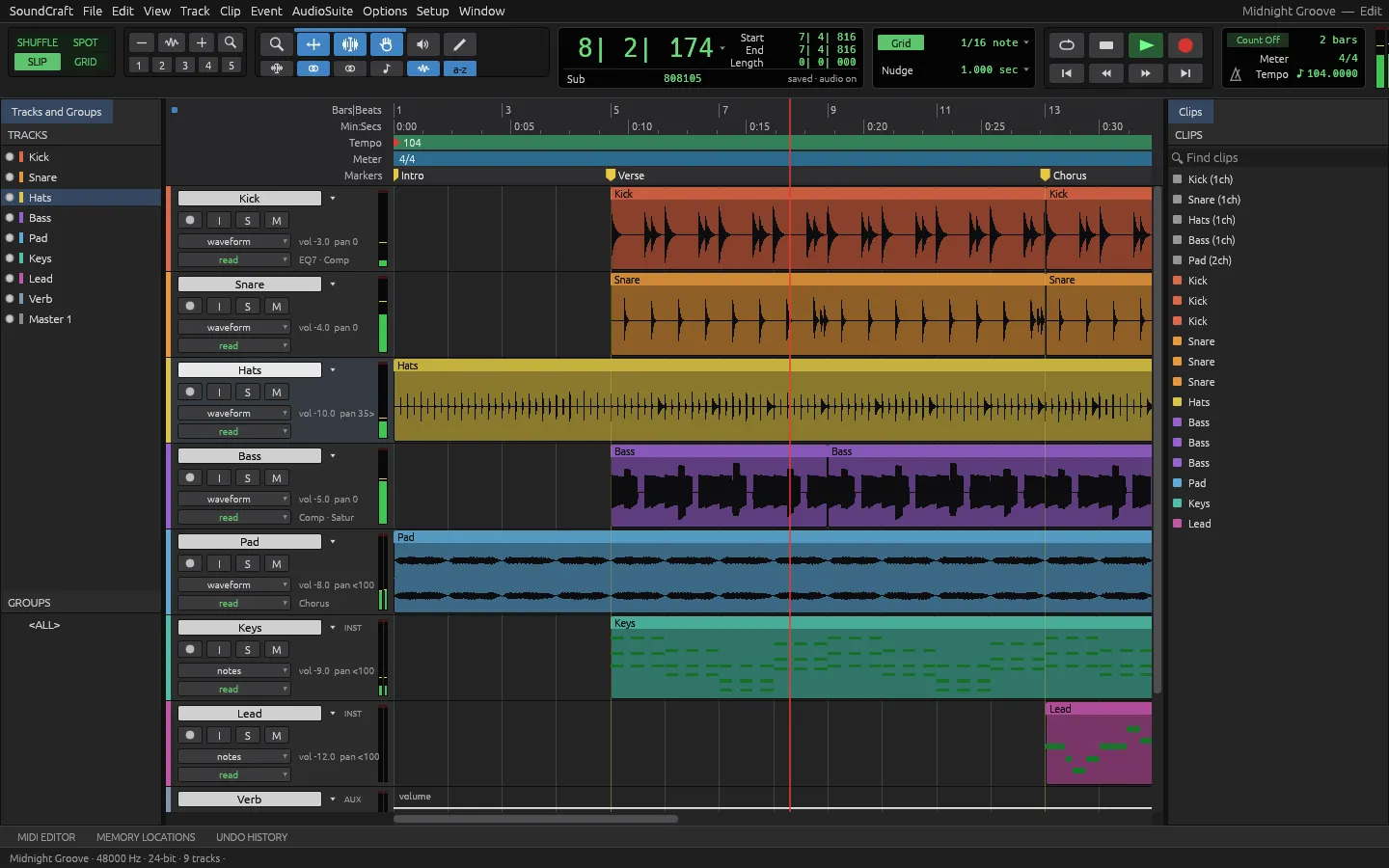
The browser build playing the project that ships with the app, and two shots from our Mac session. Hover to zoom in.

SoundCraft 0.6.1 — Midnight GrooveBrowser build
SoundCraft browser build playing the Midnight Groove demo project with nine tracks and waveforms SoundCraft for Mac with the transport running and the timecode past zero SoundCraft for Mac at first launch with an empty session and the Bars and Beats ruler 1
Screenshots by ArtCraft Tutorial · SoundCraft 0.6.1 · web (1) and macOS (2, 3) · Oct 14, 20261 / 3

What we tried, and what happened

In the browser build (0.6.1, Oct 14, 2026)

  • ✓Opened the package and found the demo project already loaded: the title read Midnight Groove — Edit and the track list showed nine tracks with waveforms drawn in them.SoundCraft browser build playing the nine-track Midnight Groove demo
  • ✓Pressed Space and it played. The playhead left the start of the timeline and the console reported an audio device at 48 kHz in stereo — so the WebAssembly build really does hand audio to the machine.
  • ✓Pressed Space again to stop; playback halted where it stood.

On a Mac (0.6.1, Oct 14, 2026)

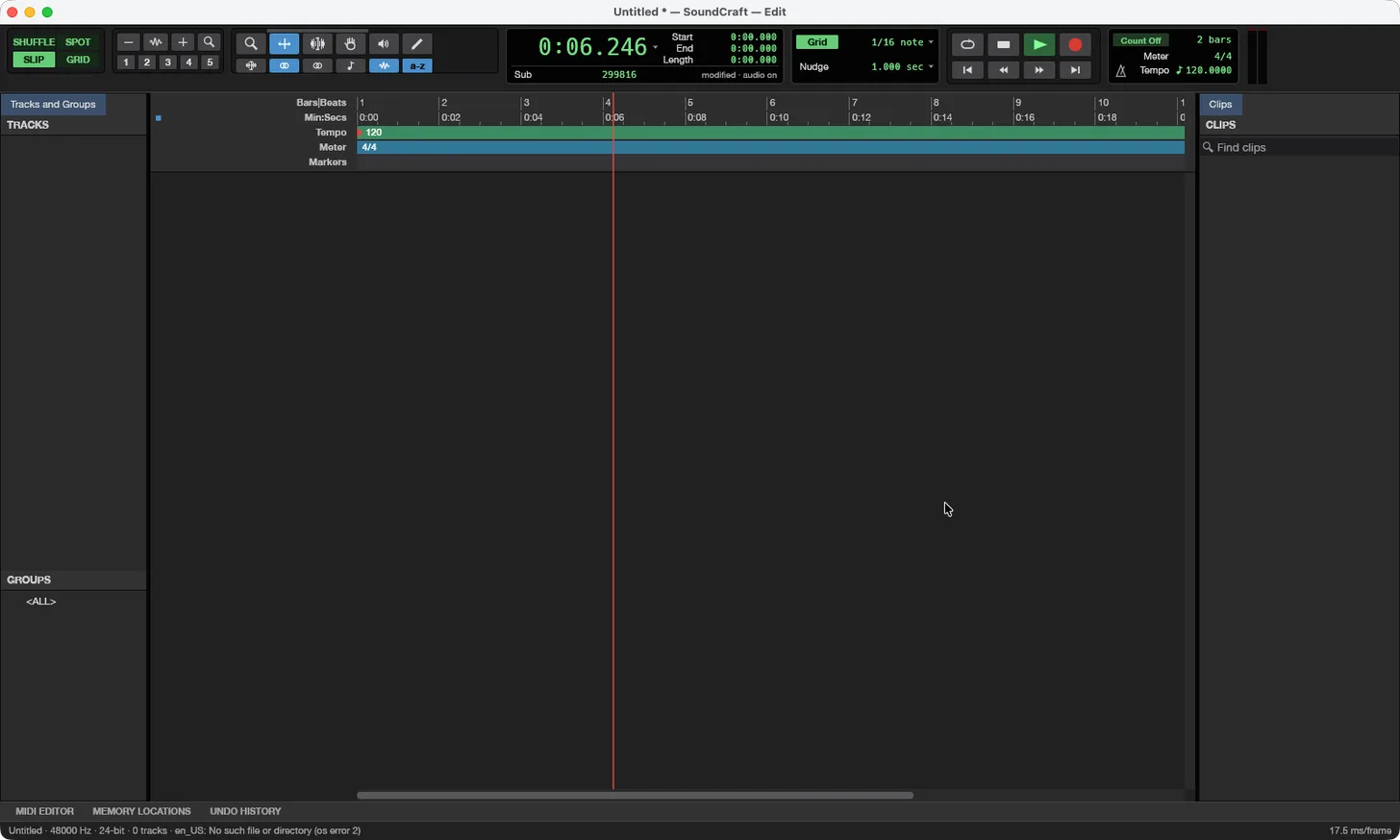
  • ✓Launched the app and played with the space bar: the counter walked from 0:00.000 to 0:06.246.SoundCraft for Mac with the transport running
  • ◐Importing our own WAV was not something we could do — that goes through a system file window our tooling could not drive — and we haven't finished a desktop save or bounce test yet.

Screenshots by ArtCraft Tutorial · SoundCraft 0.6.1 · Oct 14, 2026

What ArtCraft says it can do

From the SoundCraft README — these are ArtCraft's claims, not our test results:

  • The workflow you know. “an Edit window for arranging and editing, a Mix window for balancing, edit modes, tools, playlists, memory locations, AudioSuite processing and the rest. If you've spent years in that workflow, your hands should already know where things are.” We saw the Edit window; the Mix window is in the README only.
  • Plugins, all original. EQ, compressor/limiter, gate, de-esser, maximizer, channel strip, reverbs, delay, chorus, phaser, saturator, pitch and time shift, dither, a synth, a drum synth and a sampler; “CLAP plugins load too”. Not tested by us; the roster is ArtCraft's.
  • Your plugins too. CLAP, VST3 and Audio Units, with their editors and session state. Not tested by us yet.
  • Bounce. Mix or stems to WAV, AIFF or FLAC with dither and normalisation, reporting peak, true peak and loudness in LUFS. We have not produced a bounce file.

If you're coming from Pro Tools

Pro Tools habits we saw
You want to…In Pro ToolsIn SoundCraft (as we saw it)
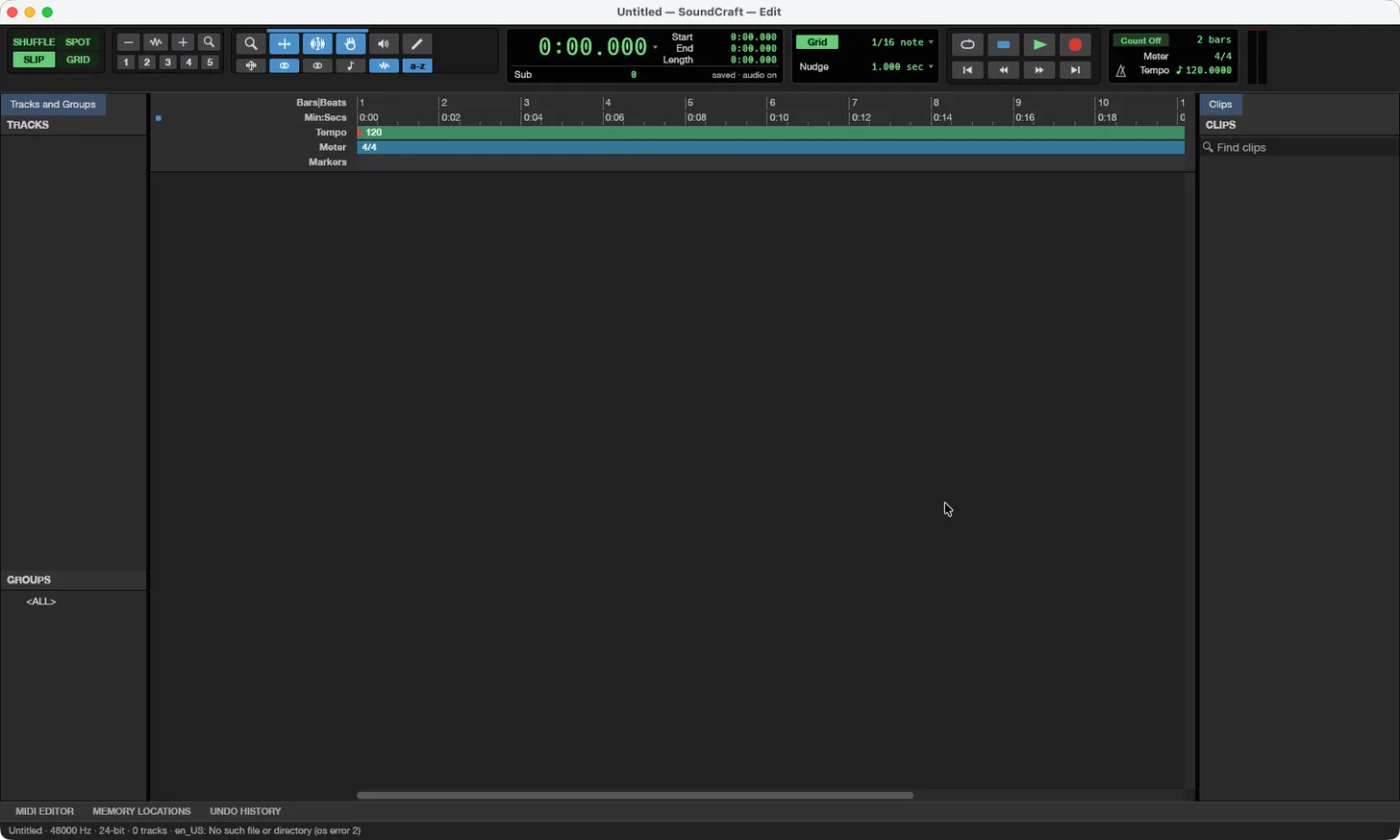
Arrange and editEdit window, Tracks list on the leftSame: Tracks and Groups column on the left, track lanes with waveforms beside it
Balance the mixMix window with channel stripsMix window with inserts, sends and faders (README); not seen by us
Start and stopSpace bar with a big counterSpace bar played; the counter ran from 0:00.000 to 0:06.246 in our Mac session
Set the tempo and meterTempo ruler, 4/4 by defaultTempo 120 and Meter 4/4 sit over the Bars|Beats ruler

Rows marked “README” are ArtCraft's; the rest we did ourselves. Write to contact@artcrafttutorial.com if a row behaves differently on your machine.

How to get it

SoundCraft is free and needs no account. Version 0.7.0 landed on GitHub on Oct 14, 2026 with 26 release files, and it is by far the smallest of the family we tested; these four cover almost everyone:

Your computerFileSize
Mac (Apple silicon and Intel)soundcraft-0.7.0-macos-universal.dmg22.0 MB
Windows 10/11, 64-bitsoundcraft-0.7.0-windows-x64.msi10.9 MB
Linux x86-64 (AppImage)soundcraft-0.7.0-linux-x86_64.AppImage15.1 MB
Prefer the browsersoundcraft-web-0.7.0.zip5.7 MB

The release ships SHA256SUMS.txt. Our download guide walks through the checksum and lists the Linux ARM, Flatpak, RPM, FreeBSD and command-line files we left out here.

Open the SoundCraft releases on GitHub →

What we haven't tested yet

  • Our own audio. We played a project that ships with the app and nothing else: no import, no recording, no edit.
  • The Mix window, automation and plugins, which is most of what an engineer actually spends the day in.
  • Bounce and file exchange: WAV, AIFF, FLAC out; MP3, Ogg, AAC in.

Common questions

Q1Is SoundCraft free?
Yes — no price, no subscription, no account. None of the versions we tested asked for one.
Q2Is SoundCraft open source?
Its GitHub repository is listed under the Apache-2.0 licence, and the README badge reads “MIT OR Apache-2.0”. For commercial use, read the repository's LICENSE files yourself.
Q3Where is SoundCraft on GitHub?
Q4Does SoundCraft run on Windows, on Linux, or in a browser?
All three, plus macOS and FreeBSD. The browser build is the one we tested first, and it played audio through the machine's own device at 48 kHz in stereo.

Related guides