X 0 · Y 0

Home / Apps / GridCraft

GridCraft: a free spreadsheet that behaves like Excel

GridCraft is the spreadsheet in the ArtCraft family — free, open source, and written from scratch in Rust. Its README calls it a clean-room reimplementation of Microsoft Excel. The latest version is 0.7.0 (Oct 14, 2026); the build we tested was 0.6.1.

Version0.7.0
StatusAlpha
Runs onMac, Windows, Linux, browser
PriceFree
Facts checked Oct 15, 2026X — Y —

What it looks like

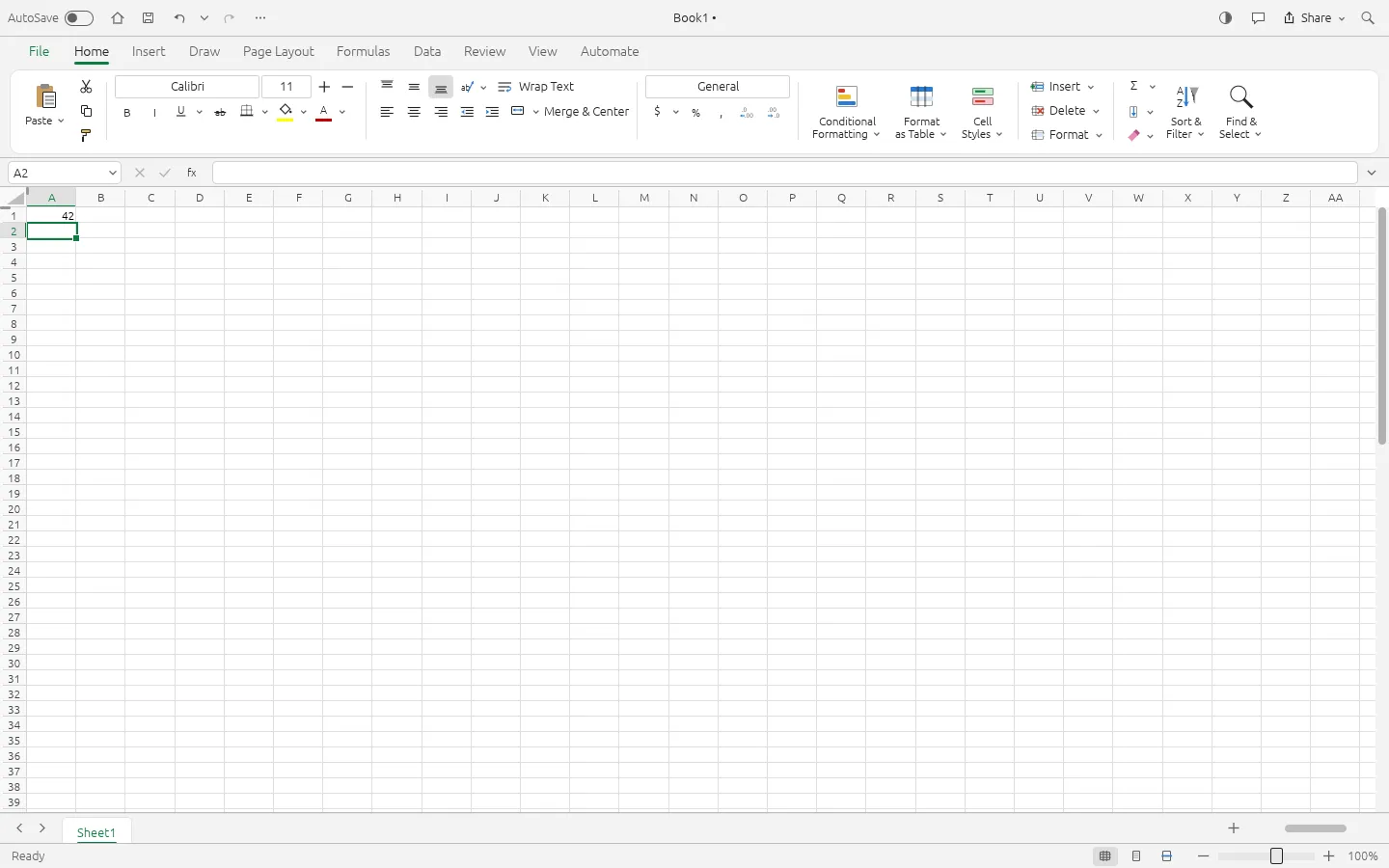
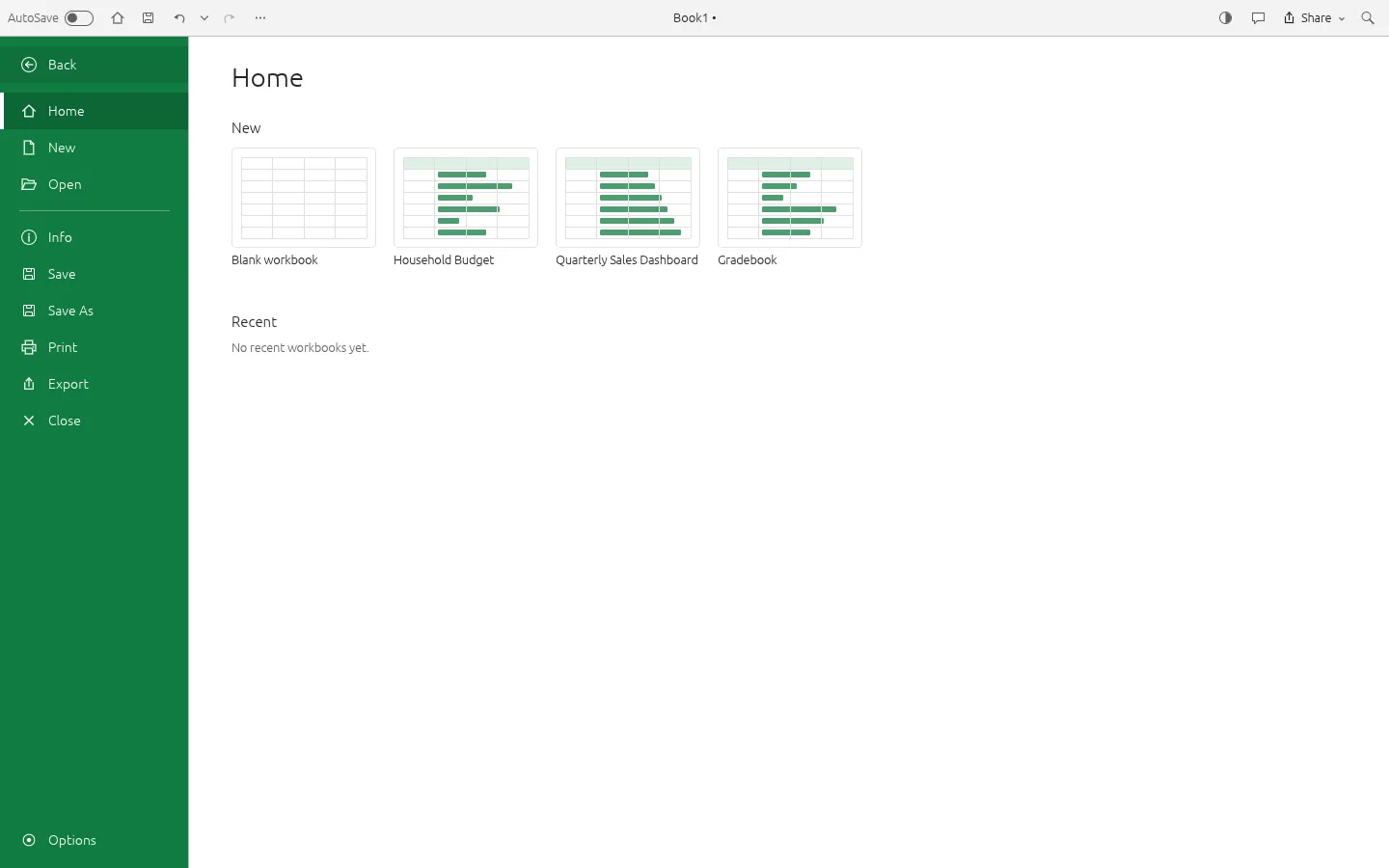
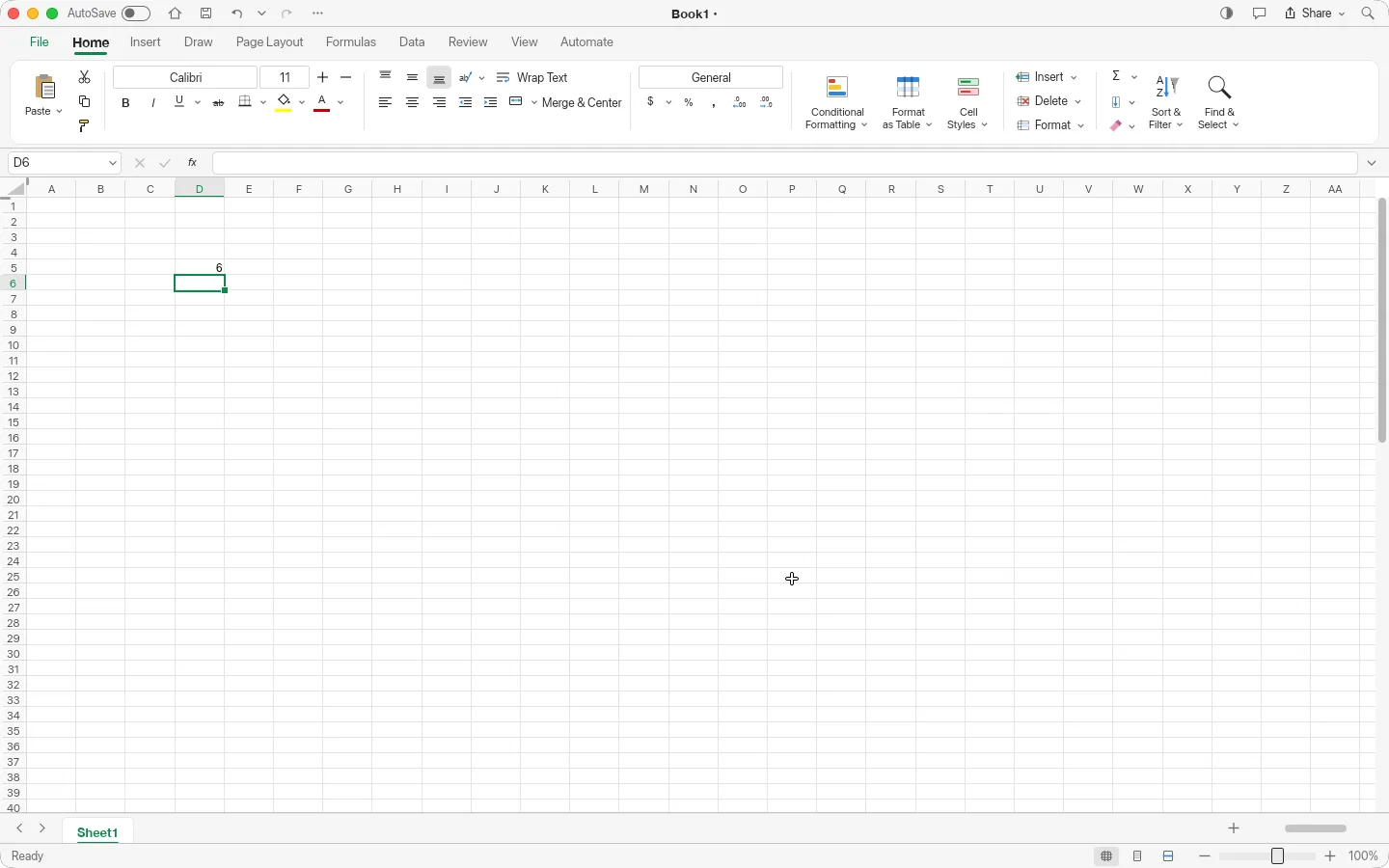
A formula on a Mac, the same window in the browser, and the app's start page. Hover to zoom in.

GridCraft 0.6.1 — a SUM formulaMac app
GridCraft for Mac with the formula bar showing =SUM(1,2,3) and the cell showing 6 GridCraft browser build with the value 42 in cell A1 and the Name Box showing A2 GridCraft browser build start page listing Blank workbook, Household Budget, Quarterly Sales Dashboard and Gradebook 1
Screenshots by ArtCraft Tutorial · GridCraft 0.6.1 · macOS (1) and web (2, 3) · Oct 14, 20261 / 3

What we tried, and what happened

In the browser build (0.6.1, Oct 14, 2026)

  • ✓Typed a value into A1 and pressed Enter; the Name Box moved to A2 and the title bar picked up an unsaved marker (Book1, then Book1 — Edited).GridCraft browser build with 42 in cell A1
  • ✓Opened the File start page and found four ready-made samples — Blank workbook, Household Budget, Quarterly Sales Dashboard and Gradebook — beside Save, Save As, Print and Export.
  • ◐Ctrl+S did not produce a workbook here: the console in our headless run says Save file dialog cancelled by user, which is what a headless browser does when a page asks for a save location. We cannot tell from that whether saving works in a normal browser, and we are not calling it broken.

On a Mac (0.6.1, Oct 14, 2026)

  • ✓Typed =SUM(1,2,3) into D6, pressed Enter, and the cell evaluated to 6 — a real calculation, not a stored string.GridCraft for Mac with a SUM formula showing the result 6
  • ◐⌘S did nothing in our session, and we haven't finished a desktop save/export test yet.

Screenshots by ArtCraft Tutorial · GridCraft 0.6.1 · Oct 14, 2026

What ArtCraft says it can do

From the GridCraft README — these are ArtCraft's claims, not our test results:

  • Familiar. “Excel's ribbon, formula bar, Name Box, sheet tabs, keyboard shortcuts, fill handle, point-mode formula entry with coloured references, Format Cells, Paste Special, conditional formatting, tables, charts and more. If you know Excel, you already know GridCraft.” We used the grid, the Name Box and the formula bar; the rest is untested by us.
  • Compatible. “XLSX is the native format”: styles, formulas including dynamic arrays, tables, conditional formats, charts, sparklines, PivotTables and print settings round-trip. Untested by us — we never had a real workbook in it.
  • Capable. Dynamic arrays and spilling, “500+ worksheet functions plus LET, LAMBDA, MAP, REDUCE…”, sort, AutoFilter and Flash Fill. We ran one three-argument SUM.
  • Fast. Copy-on-write workbooks, incremental recalculation and a virtualised grid that only lays out what is on screen. Our workbook had two cell values in it.

If you're coming from Excel

Excel habits we saw
You want to…In ExcelIn GridCraft (as we saw it)
Type into a cellClick the cell and type, Enter to commitIdentical; Enter moved the selection to the cell below
Do arithmetic=SUM(…) in the formula barSame syntax in the same bar — our =SUM(1,2,3) returned 6
See which cell you are onName Box, top leftName Box in the same corner, reading A2 after our Enter
Format numbers and alignmentHome tab: Font, Alignment, Number groupsHome tab with the same groups and order

Every row above is something we did ourselves. Tell us at contact@artcrafttutorial.com if a row behaves differently on your machine.

How to get it

GridCraft is free and needs no account. Version 0.7.0 landed on GitHub on Oct 14, 2026 with 26 release files; these four cover almost everyone:

Your computerFileSize
Mac (Apple silicon and Intel)gridcraft-0.7.0-macos-universal.dmg23.4 MB
Windows 10/11, 64-bitgridcraft-0.7.0-windows-x64.msi13.5 MB
Linux x86-64 (AppImage)gridcraft-0.7.0-linux-x86_64.AppImage18.1 MB
Prefer the browsergridcraft-web-0.7.0.zip6.8 MB

The release ships SHA256SUMS.txt. Our download guide explains the checksum step and names the Linux ARM, Flatpak, RPM, FreeBSD and command-line files we left out above.

Open the GridCraft releases on GitHub →

What we haven't tested yet

  • Real workbooks. We have typed two values into a blank sheet and nothing else — no import of an .xlsx of ours, and no save that came back to us.
  • Charts, PivotTables and conditional formatting, which the README's screenshots lean on.
  • Formulas beyond SUM, including the dynamic-array functions and LET and LAMBDA.

Common questions

Q1Is GridCraft free?
Yes. No price, no subscription and no account; nothing in our sessions asked us to sign in.
Q2Is GridCraft open source?
Its GitHub repository is listed under the Apache-2.0 licence, and the README badge reads “MIT / Apache-2.0”. Read the repository's LICENSE files if the exact terms matter to you.
Q3Where is GridCraft on GitHub?
At github.com/storytold/gridcraft, with downloads on its releases page. It is the only app in this batch whose repository has no homepage link on GitHub — the app page above is the one on getartcraft.com.
Q4Does GridCraft run on Windows, on Linux, or in a browser?
All three, and on macOS and FreeBSD as well. Windows: MSI and portable builds for x64, ARM64 and 32-bit x86. Linux: AppImage, deb, rpm, Flatpak and tarballs. Browser: a WebAssembly package you host yourself.

Related guides