Step by step
1. Check the tools that are already on the Mac. These four are enough to see that the compiler, Node, and git are present.
xcode-select -p
clang --version
node -v
git --version
On our Mac: Xcode Command Line Tools, clang, Node, and git were already installed.
2. Install Rust.
curl --proto '=https' --tlsv1.2 -sSf https://sh.rustup.rs | sh -s -- -y --no-modify-path
--no-modify-path tells the installer not to edit your shell config, so every new terminal has to run source "$HOME/.cargo/env" first. Without that flag, the installer edits the shell config itself.
On our Mac: 35.62 s, passed. The installer printed stable-aarch64-apple-darwin installed.
3. Install the Tauri CLI.
source "$HOME/.cargo/env" && cargo install tauri-cli --version "^2" --locked
On our Mac: 134.55 s, passed. Cargo printed Installed package `tauri-cli v2.12.3` (executable `cargo-tauri`). We installed 2.12.3. The official guide says 2.10.0 works.
4. Install CMake before you compile. With Homebrew on your Mac:
brew install cmake
On our Mac: Kitware's official macOS package 4.4.4, added to PATH only in that terminal. We did not run brew. Not timed.
The official guide does not list CMake. Without it, a later compile stops. See the next section.
5. Clone the repository into a directory named artcraft.
git clone --depth 1 https://github.com/storytold/artcraft.git artcraft
On our Mac: the clone finished in 8.93 s with no errors.
6. Install the frontend packages inside artcraft/frontend.
cd artcraft/frontend
npm install
On our Mac: 161 s, passed. npm printed added 1598 packages, and node_modules came to 949M. npm reported 82 vulnerabilities; we did not fix them.
7. (Optional) Run the launcher script's own tests, from artcraft/.
node --test frontend/scripts/unix-dev.test.mjs
On our Mac: 9.27 s, passed. Node printed pass 7. All 7 tests passed.
8. (Optional) Run the Rust check, from artcraft/.
source "$HOME/.cargo/env" && SQLX_OFFLINE=true cargo check -p artcraft
On our Mac: after CMake was on PATH, this passed in 80 s, with 875 warnings and 0 errors. Without CMake it stopped at 57 s. See the next section.
9. Start the app from artcraft/. In that terminal, run source "$HOME/.cargo/env" first, and have CMake on PATH. The middle line below is only for the Kitware package. If you installed CMake with brew, it is already on PATH, so skip that line.
source "$HOME/.cargo/env"
export PATH="<Kitware CMake.app>/Contents/bin:$PATH"
./script/artcraft/unix_dev.sh
On our Mac: the frontend opened at 127.0.0.1:5193. The window appeared in about 1 minute 37 seconds, of which the compile was 1m 31s. That compile was incremental, on the target/ left from the day before. We have not timed a full compile from an empty directory.
The step the official guide leaves out: CMake
error: failed to run custom build command for `boring-sys2 v5.0.0-alpha.13`
failed to execute command: No such file or directory (os error 2)
is `cmake` not installed?
The Rust dependency boring-sys2 calls CMake while it compiles, and the official guide does not mention this step.
Install CMake (brew install cmake; we used the Kitware package, and the checksum matched Kitware's site), confirm cmake --version works (a new terminal if you used brew; the terminal where you added PATH if you used the Kitware package), then run the check again.
On our Mac: with CMake 4.4.4 on PATH, the same check passed, with 875 warnings and no errors.
What opens
On Oct 18, from the first tool check through the first compile check, the clock showed 11 minutes 37 seconds.
Stop it and clean up
In the terminal that is running unix_dev.sh, press Ctrl-C. The official guide says that stops the frontend, the Rust watcher, and the desktop app. We sent the same signal (SIGINT). After 30 seconds there were no leftover processes, and ports 5193–5210 were empty.
The largest piece is artcraft/target/ (9.3 GB this time). After you move it to the trash, empty the trash before the space comes back.
Building from source is not the normal download
The steps above compile the studio. The installer is the download guide. The 13 Craft apps are a different set, on the apps page, and the repositories are on ArtCraft on GitHub.
What we haven't tested yet
- A compile that starts with an empty
target/.
- Signing in, or generating an image or a video. We did not click the card.
- Windows and Linux.
- Hot reload. The guide describes it. We did not edit a file while the app was open.
- The 82 vulnerabilities npm reported. Left as printed.
Common questions
Q1Do I still need an account if I build from source?
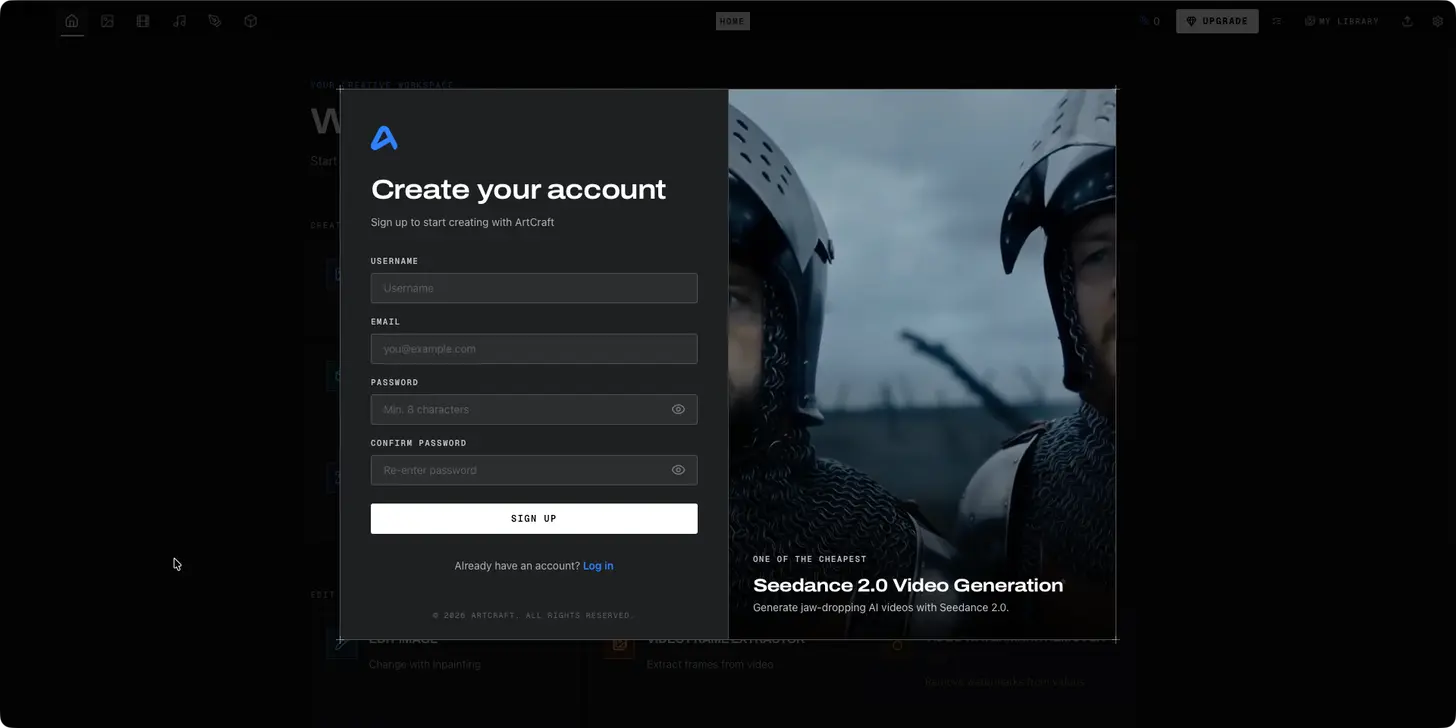
The first screen was a Create your account card, with Sign up and Log in. Still signed out, the log had one Storyteller API 401. We did not click or sign in.
Q2Why does cargo say "is cmake not installed?"
boring-sys2 is one of the Rust dependencies. Compiling it needs CMake, which the official guide does not list. Install CMake (brew install cmake is the usual way on a Mac; we used the Kitware package), confirm cmake --version works (a new terminal for brew; the PATH terminal for the Kitware package), then run the check again. After we installed it, the check passed.
Q3How much disk space do I need?
About 12 GB, mostly the 9.3 GB target/. The Kitware package was another 362M. Empty the trash to get that space back.
Q4Which Node and Tauri CLI versions work?
The guide: Node v24.13.0 works, Node.js 20+ is required, tauri-cli 2.10.0 works. We used Node v24.18.1, npm 11.16.0, and tauri-cli 2.12.3. No other versions tried.
Q5Does this work on Windows or Linux?
We have not run it on either. The guide's Mac and Linux section uses ./script/artcraft/unix_dev.sh. The Windows section uses windows_frontend_dev.ps1 and windows_rust_dev.ps1. That is the guide, not a run of ours.