ArtCraft Launcher: install and update all 13 Craft apps from one place
The ArtCraft Launcher is the official one-click installer and updater for all 13 Craft apps. If you only need one app's file, start with our download guide instead.
Version0.4.1
LicenseMIT or Apache-2.0
Tested onmacOS
PublishedOct 13, 2026
Facts checked Oct 17, 2026X — Y —
What the ArtCraft Launcher does
This is the README of github.com/storytold/craft-launcher, not our test log. The suite is the 13 Craft apps. The README says the launcher lists every app, shows which ones you have and which version, installs the right build for your computer, and tells you when an update is out. It can sit in the menu bar or the system tray.
The same README names three jobs: pick the package for your operating system and processor and install it, watch each app's GitHub releases and notify you, and open any Craft app from one window or the tray. It also mentions a web catalog. We did not open that.
How to install it
The release we read, and the copy we ran, is 0.4.1 (the latest release as of Oct 17, 2026, and the version we tested). GitHub published it on Oct 13, 2026. The notes list one change: Add FigCraft. The release has 24 files plus SHA256SUMS.txt.
The README says to download from the latest release. The names below are the README's. Where it writes <ver>, this release uses 0.4.1.
README Downloadsv0.4.1 · Oct 13, 2026
Computer
Package the README names
Windows 10 and 11
artcraft-launcher-0.4.1-windows-x64.msi, plus arm64 and 32-bit builds, and a portable zip of each.
macOS 11 or later
artcraft-launcher-0.4.1-macos-universal.dmg. Drag ArtCraft Launcher to Applications. This is the file we downloaded.
Linux, glibc 2.35 or newer
AppImage, .deb, .rpm, Flatpak or .tar.gz, for x86_64 and aarch64. RISC-V is listed too.
FreeBSD 14, x86_64
artcraft-launcher-0.4.1-freebsd-x86_64.tar.gz
Web
artcraft-launcher-web-0.4.1.zip, a static site you host yourself.
Those names are on the 0.4.1 release, next to SHA256SUMS.txt. We only ran the macOS disk image. The other rows are the README.
What it installs, and where it puts your files
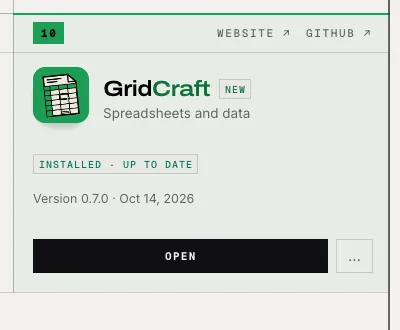
The README says the launcher uses the same package you would download by hand, so the app lands where the system keeps applications. The table is the README. On our Mac, GridCraft landed at /Applications/GridCraft.app. Its version was 0.7.0 (Oct 14, 2026). That number is the app, not launcher 0.4.1.
Where apps are installedREADME · main branch, Oct 17, 2026
System
Where
How, in the README's words
macOS
/Applications/<App>.app
Copied from the signed, notarized release DMG
Windows
C:\Program Files\<App>
The release MSI, through Windows Installer, with a Start menu entry
Linux
/usr/bin, /usr/share/applications
The release .deb or .rpm, with a password prompt. Otherwise a Flatpak, or an AppImage in ~/Applications
The release tarball, unpacked into the launcher's own folder. Nothing is installed on the host
FreeBSD
/usr/local
The release tree, with a password prompt; ~/.local when polkit isn't installed
Keeping apps up to date
The README says a notification tells you when an app update is out, that an update keeps the format the app was installed with, that every download is checked against the published SHA-256 before install, and that a running app is never replaced. The launcher updates itself too: when a new version is out, Update and restart downloads it, verifies it, replaces this copy, and reopens it.
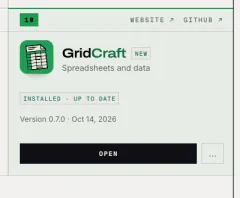
We did not see that. After GridCraft installed, the card read INSTALLED · UP TO DATE and UPDATES was 0. Update and restart was not on the main window. Nothing newer was offered, so we watched no update and no notification.
GetCraft: the launcher that came before
GetCraft is a separate community project. Its repository, github.com/mbirnbach/getcraft, was created on Oct 8, 2026. The official repository, github.com/storytold/craft-launcher, was created on Oct 9, 2026. GitHub marks GetCraft archived. The description reads: "Archived. Use the official launcher: github.com/storytold/craft-launcher".
The GetCraft README says the project is archived, that the ArtCraft team now has its own official launcher, and to please use that one. In its own words: "It is not made, sponsored or endorsed by the ArtCraft team." We are not grading the project.
The getcraft.org page we saved is titled "GetCraft has moved to ArtCraft Launcher" and says "GetCraft was a community project and is no longer the recommended download." We do not link a GetCraft download.
Launcher or manual download — which should you use?
Use the launcher when you want several of the 13 apps, or when you want one program to watch for updates. The notification is a README promise. We have not seen it.
Download by hand when you want one app, when you want to check the SHA-256 yourself, or when the computer is offline. Our download guide names the Studio package and the package for one Craft app.
What we tested on our Mac
ArtCraft Launcher 0.4.1 (Oct 17, 2026)
✓Downloaded artcraft-launcher-0.4.1-macos-universal.dmg (18.5 MB). Its SHA-256 matched SHA256SUMS.txt for that release.
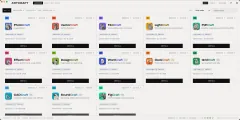
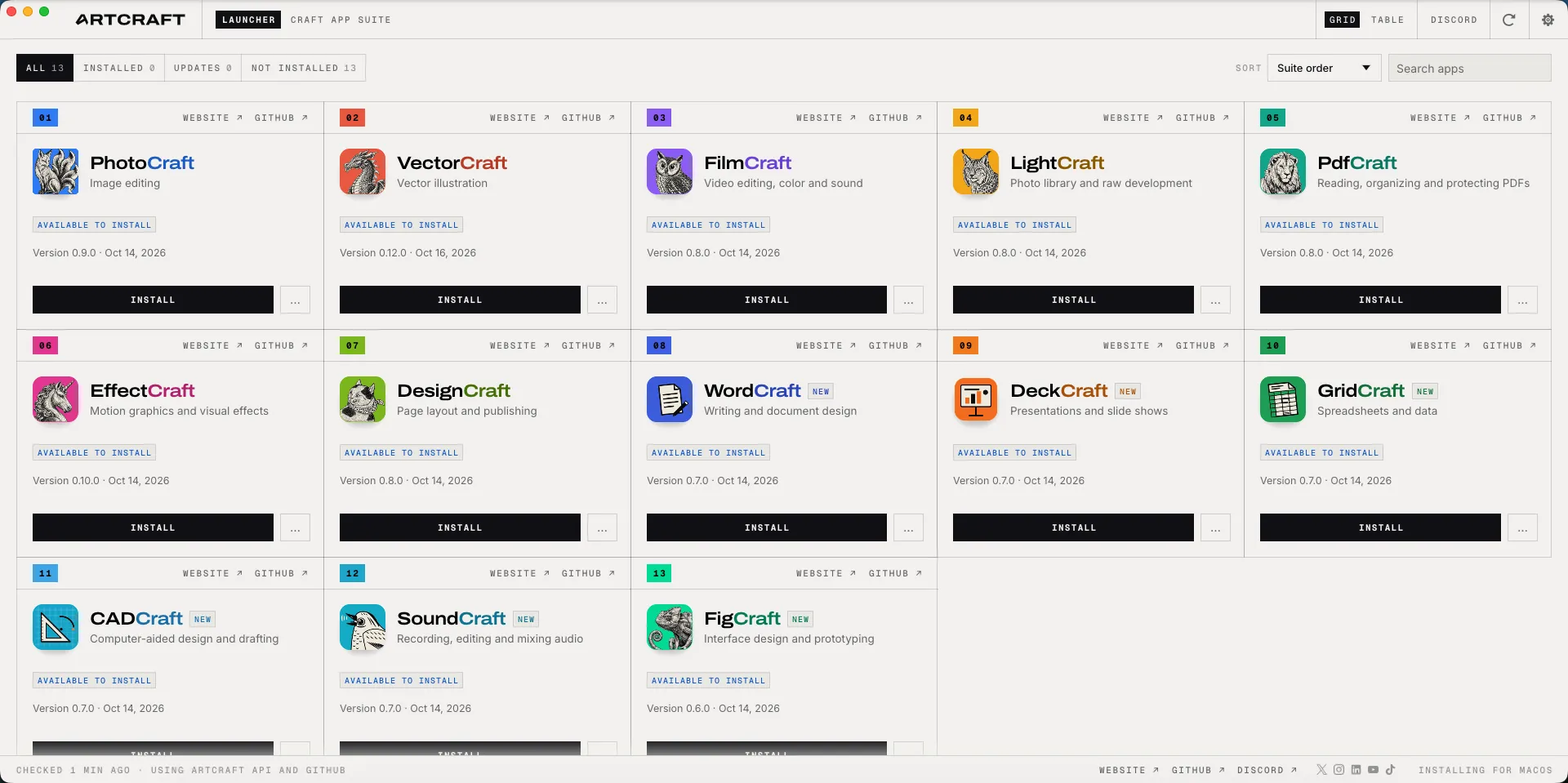
✓First screen: an English app grid, no welcome page. ALL 13 / INSTALLED 0 / UPDATES 0 / NOT INSTALLED 13. Each card said AVAILABLE TO INSTALL and showed a version and a date.
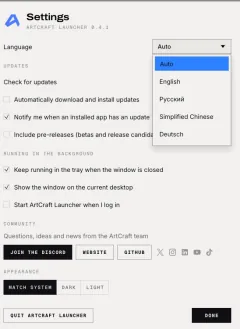
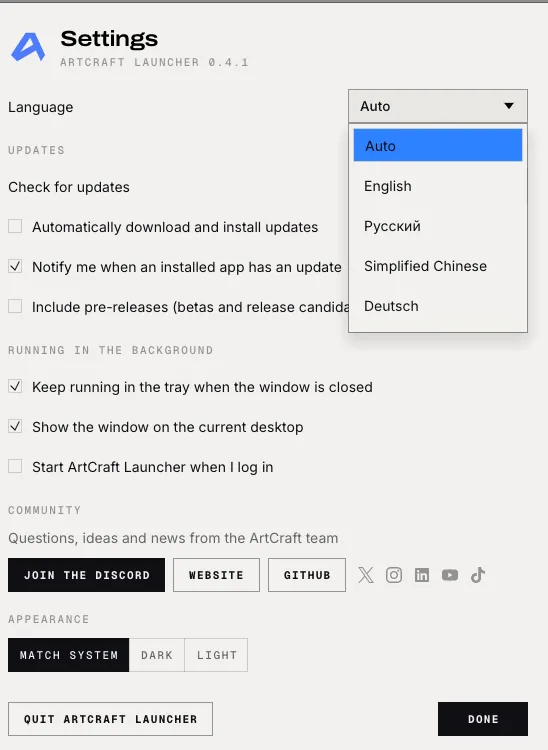
✓Settings › Language was Auto. The menu showed Auto, English, Русский, Simplified Chinese and Deutsch. "Start ArtCraft Launcher when I log in" was unchecked. "Keep running in the tray when the window is closed" was checked. Check for updates was Automatically. We changed nothing.
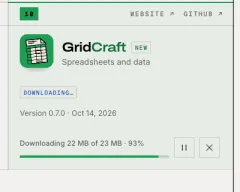
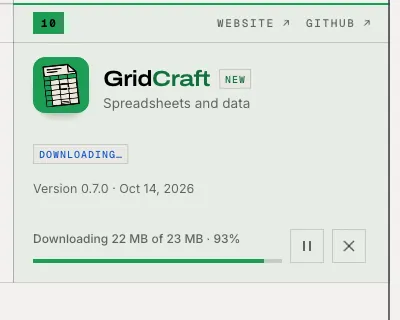
✓INSTALL on GridCraft showed "Downloading 22 MB of 23 MB · 93%". On our network it finished in under two minutes, then the card read INSTALLED · UP TO DATE.
✓GridCraft was at /Applications/GridCraft.app, version 0.7.0. spctl reported accepted, Notarized Developer ID.
✓OPEN launched GridCraft.
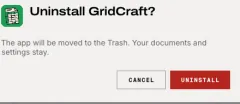
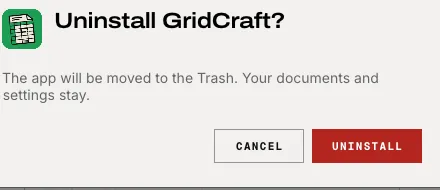
◐Uninstall says the app will be moved to the Trash, and that documents and settings stay. We clicked UNINSTALL twice. The log only recorded "starting uninstall job", and the app stayed in /Applications. On our Mac, uninstall did not succeed. We are not guessing why. We moved it to the Trash ourselves. After a refresh the card read AVAILABLE TO INSTALL again.
◐The README says every download is checked against the published SHA-256 before install. The log we read does not record that step. We are not saying the check was skipped.
Screenshots by ArtCraft Tutorial · ArtCraft Launcher 0.4.1 · macOS · Oct 17, 2026
Screenshots by ArtCraft Tutorial · ArtCraft Launcher 0.4.1 · macOS · Oct 17, 2026
Screenshots by ArtCraft Tutorial · ArtCraft Launcher 0.4.1 · macOS · Oct 17, 2026
Screenshots by ArtCraft Tutorial · ArtCraft Launcher 0.4.1 · macOS · Oct 17, 2026
Screenshots by ArtCraft Tutorial · ArtCraft Launcher 0.4.1 · macOS · Oct 17, 2026
Screenshots by ArtCraft Tutorial · ArtCraft Launcher 0.4.1 · macOS · Oct 17, 2026
Common questions
Q1Is the ArtCraft Launcher official?
Yes. storytold publishes it, the same GitHub organisation as the 13 Craft apps, at github.com/storytold/craft-launcher. ArtCraft on GitHub maps that organisation.
Q2Does it run on Windows and Linux?
The README says yes: Windows 10 and 11, Linux with glibc 2.35 or newer, FreeBSD 14, and a web package. We only ran it on a Mac.
Q3Which languages does it speak?
The main-branch README, saved Oct 17, 2026, names eleven: English, Brazilian Portuguese, Czech, French, German, Hungarian, Japanese, Polish, Russian, Simplified Chinese and Spanish. Auto is the default. In 0.4.1 the menu showed five: Auto, English, Русский, Simplified Chinese and Deutsch. That README may be newer than 0.4.1.
Q4Is it free?
It is open source. GitHub's API reports Apache-2.0. The README badge says MIT OR Apache-2.0, the same split as the Craft apps on the apps page.
Q5Does it start when you log in?
Not on the Mac we used. "Start ArtCraft Launcher when I log in" was unchecked. "Keep running in the tray when the window is closed" was checked. We left both alone.